Performance & Goals
A rating a manager can defend, because the record is already on the form
Review cycles, goals with a check-in history, continuous feedback and a calibration meeting that advises rather than enforces. What makes it different is on the form itself: the attendance, lateness, absence, discipline and certification record for the review period, rendered beside the questions. Every other review tool asks a manager to remember eleven months. This one shows them.
See it live — demo in minutes →Sound familiar?
The rating reflects the last fortnight, because that is all anybody remembers
Appraisals happen in one workbook and the increment happens in another
Probation dates pass unreviewed, so confirmation becomes the default outcome
Nobody can say whether a 4 in the kitchen means the same as a 4 in housekeeping
The people being reviewed are on a floor, a vessel or an island — often with no desk and no login
Capabilities
What you get
15 capabilities
The evidence panel
the reason to run reviews here rather than anywhere else
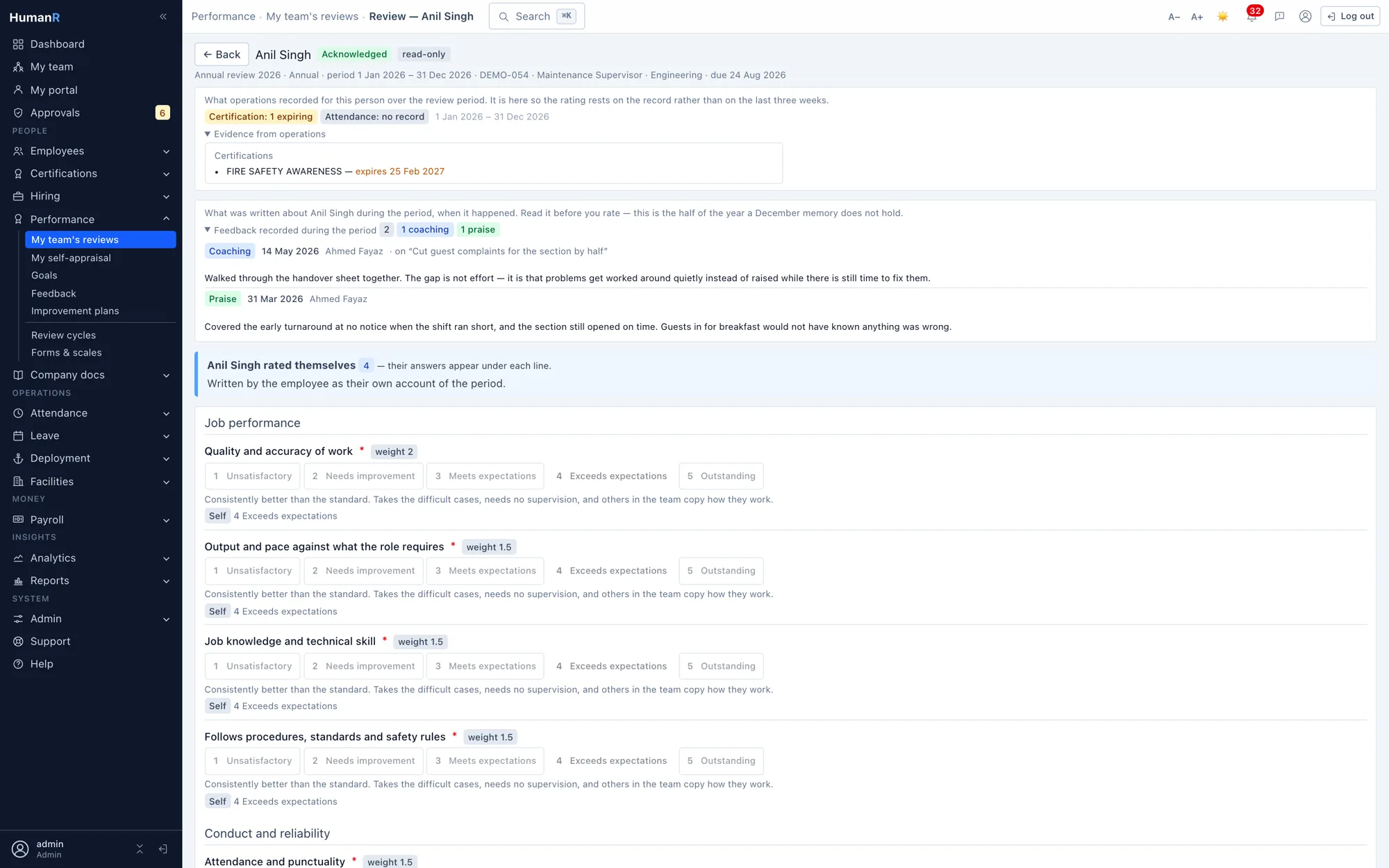
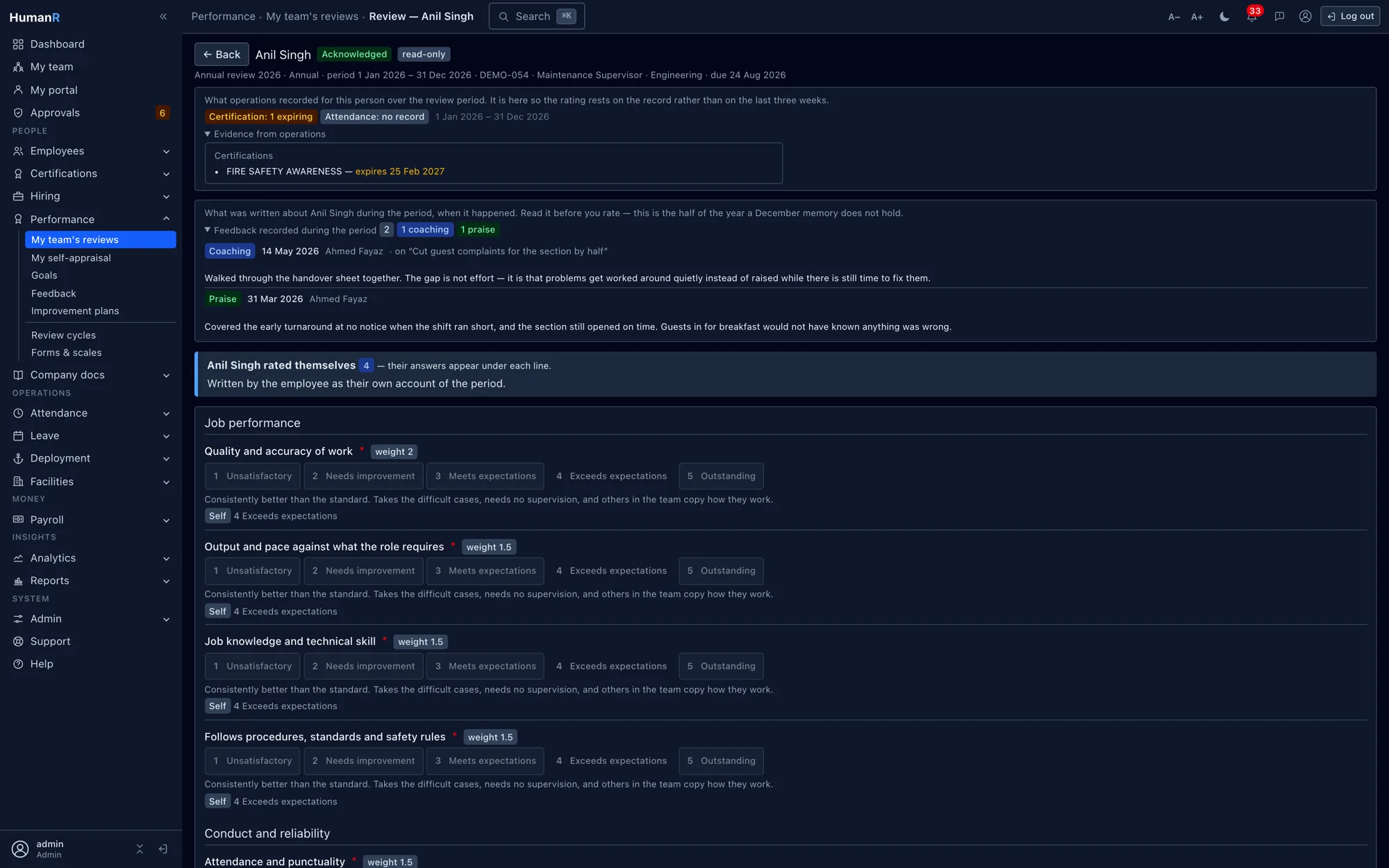
Attendance percentage, late days and late minutes, absences, leave taken by type, disciplinary cases and measures inside the period, certifications expired or expiring, days deployed and where. Read live from the same tables payroll and attendance already run on: nothing typed, nothing imported, nothing to reconcile. A standalone review tool cannot show this, because it does not hold it.
Frozen onto the review at submit
The panel is computed, never stored — except at the moment a rater submits, when it is snapshotted onto their response. A finalized review therefore still shows what the person filling it in was looking at, which is the property that matters if the rating is ever questioned.
The crew screen
One page, one row per direct report, rating buttons inline, evidence as chips beside each name — 3 late · 1 warning · cert expiring — and a comment box that opens where it is needed. A head of department rates a forty-person section in one sitting, on a phone, on the floor. This is the screen the desk-shaped review products do not have.
Cycles that fan out, one screen per rater
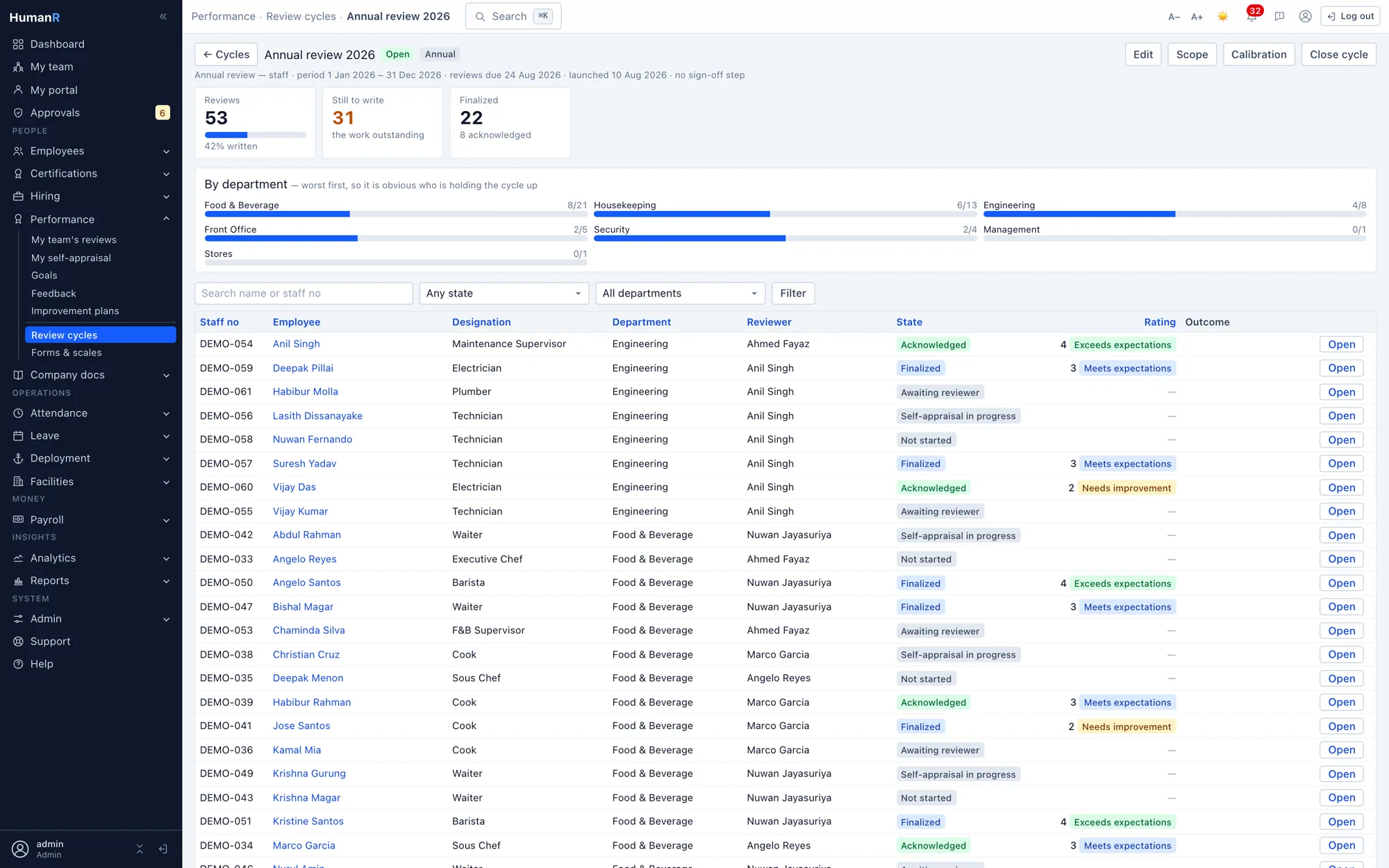
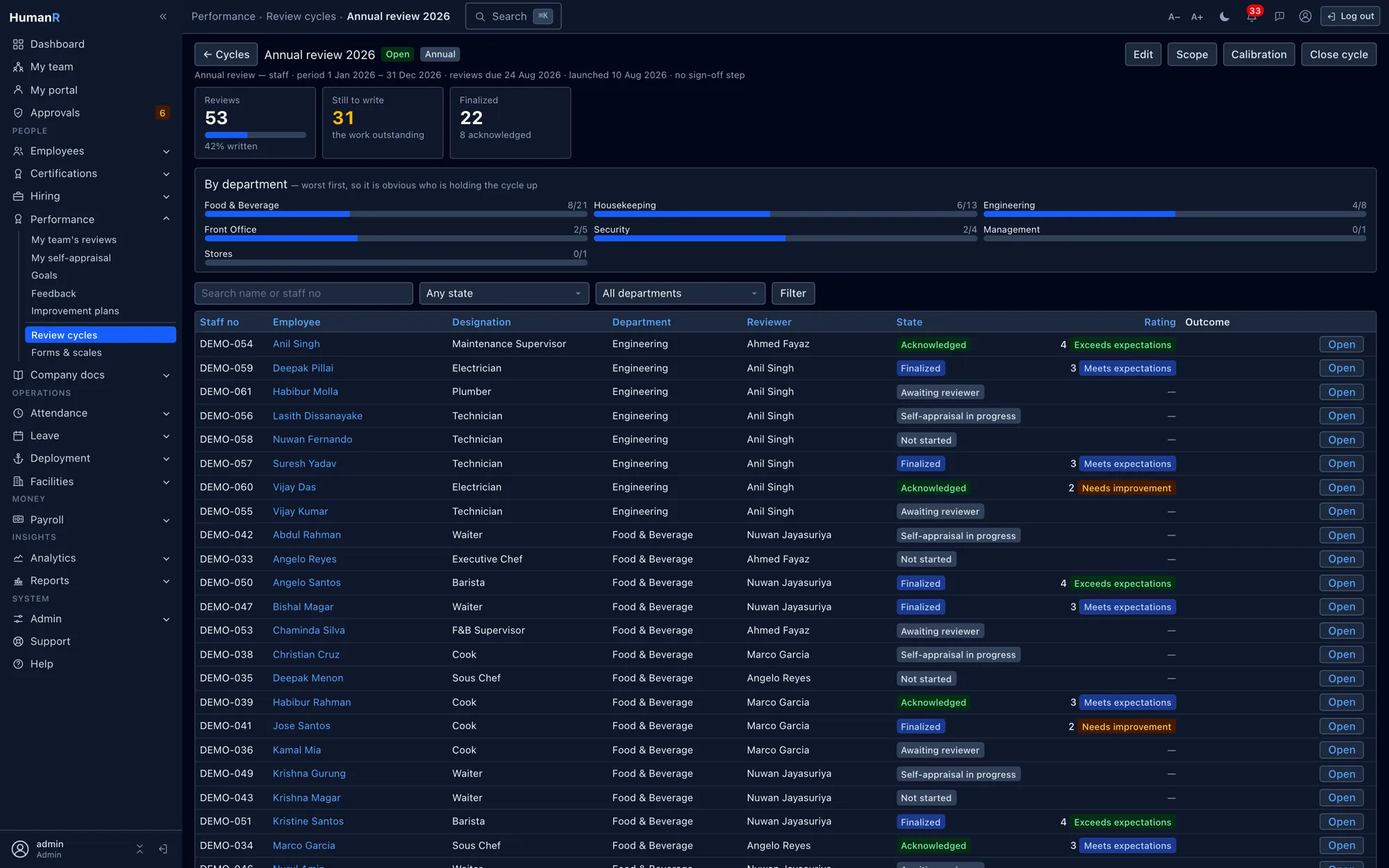
A cycle is scoped by company, department, site, designation or minimum tenure, and previewed before it launches — headcount, and a list of anyone whose manager the org chart cannot resolve, so you fix it before six hundred reviews exist. Self, manager, peer and skip-level responses are the same shape, so 360 is a setting rather than an upgrade.
Scales with behavioural anchors, curated by you
Ships with a five-point scale whose points carry descriptors rather than adjectives, and a three-point probation scale. HR edits the wording, the points and the templates without waiting for a release — the thing every vendor review names as too rigid.
Last year's review still reads as last year's review
The question text and the scale label are copied onto the answer when it is written. Edit the template next year, rename a rating point, retire a question — the reviews already finished keep the wording they were written against. Nothing is retroactively re-worded.
Probation reviews that raise themselves
The nightly expiry pass already knows every probation date. Thirty days out it opens a probation review on the three-point scale and tells the head of department. The outcome confirms — clearing the probation date — extends it, or hands over to the lifecycle screens. It never changes anybody's employment status by itself.
Goals with a check-in history, not a progress bar somebody dragged
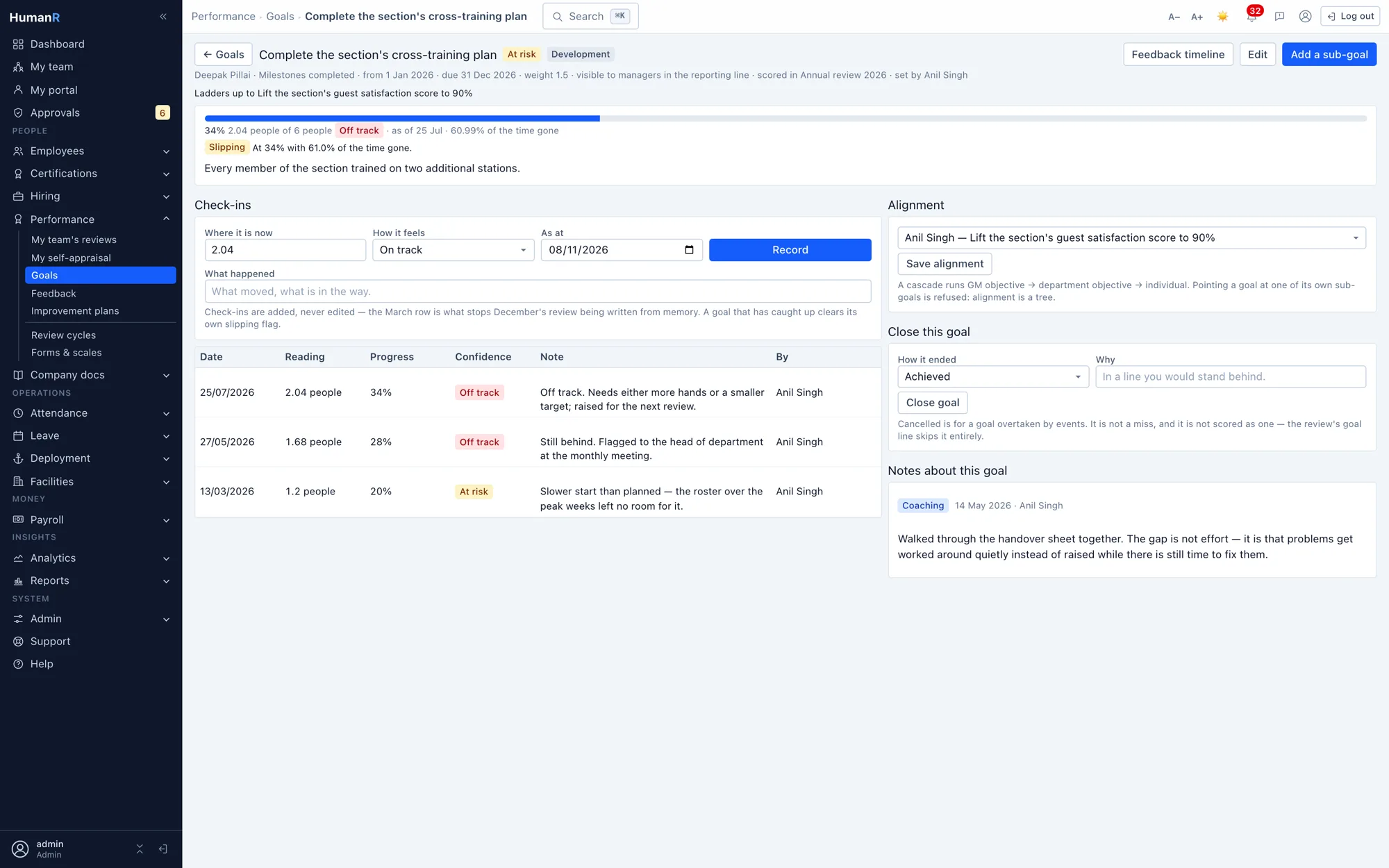
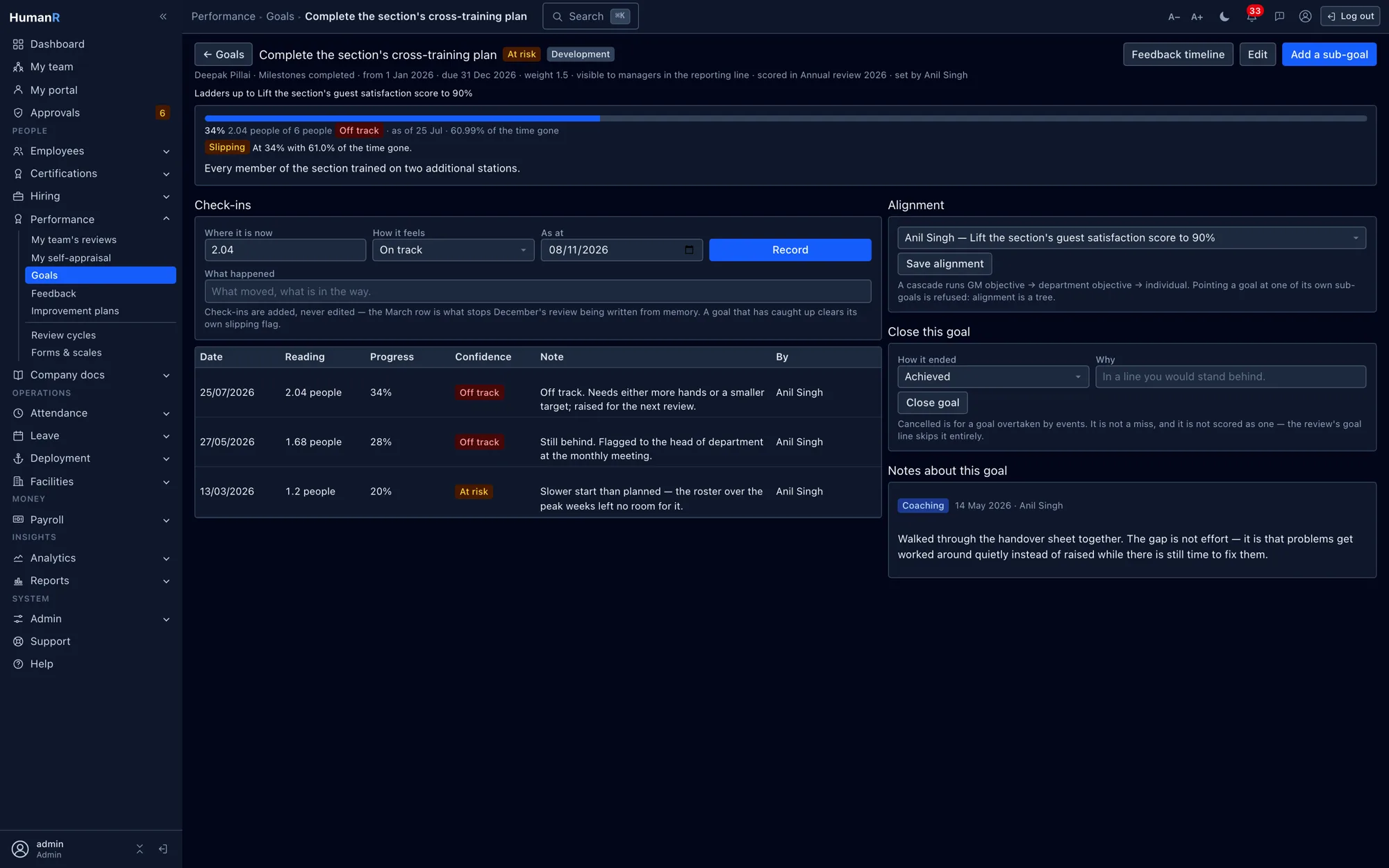
Percent, number, currency, milestone or yes/no targets, aligned parent to child so a section objective has the individual goals laddering into it. Progress and at-risk are computed from the check-ins against the due date — no stored progress figure to go stale, and a goal nobody has touched shows as exactly that. Goal attainment can then be scored as a line on the review.
Continuous feedback, which is the actual cure for recency bias
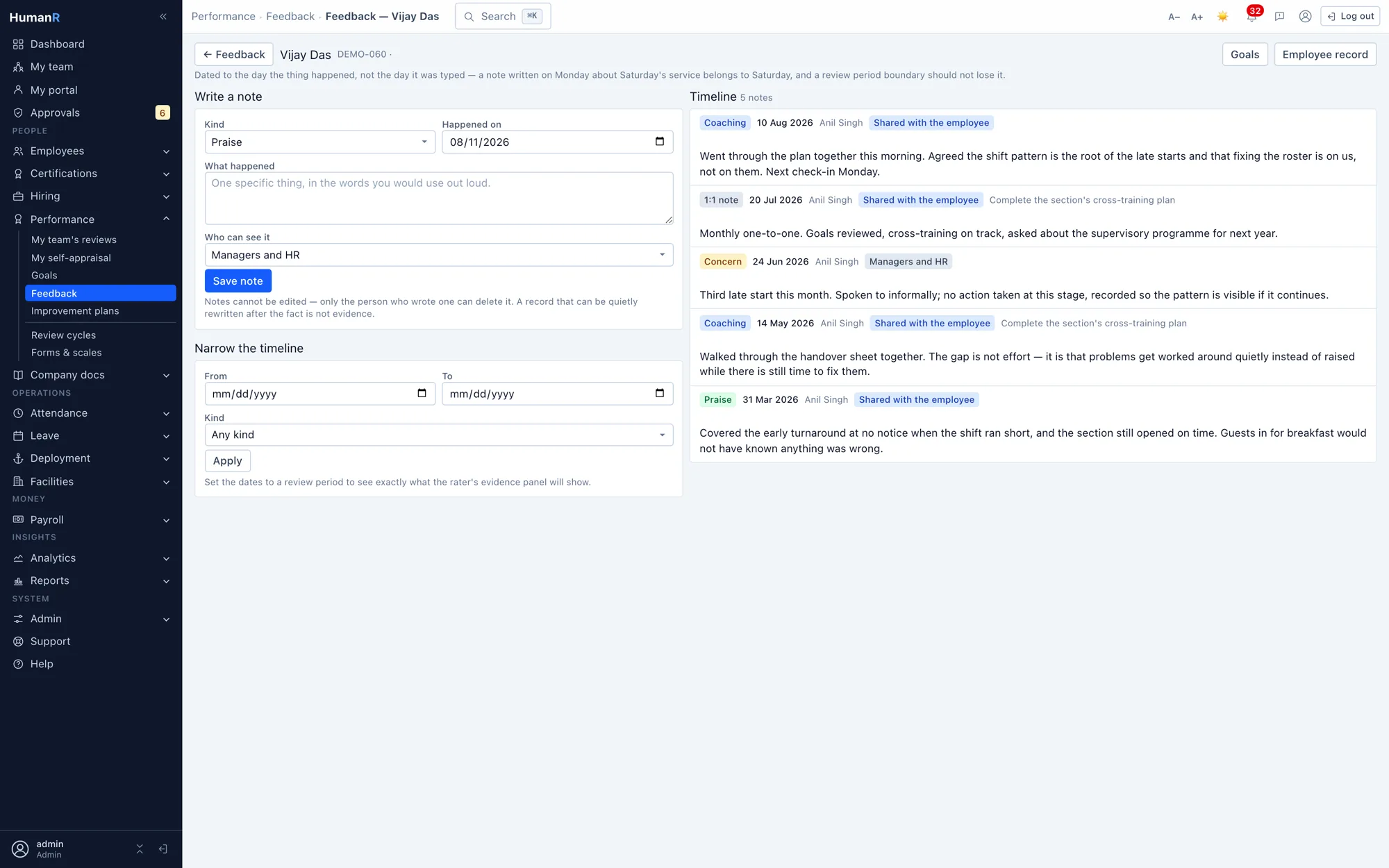
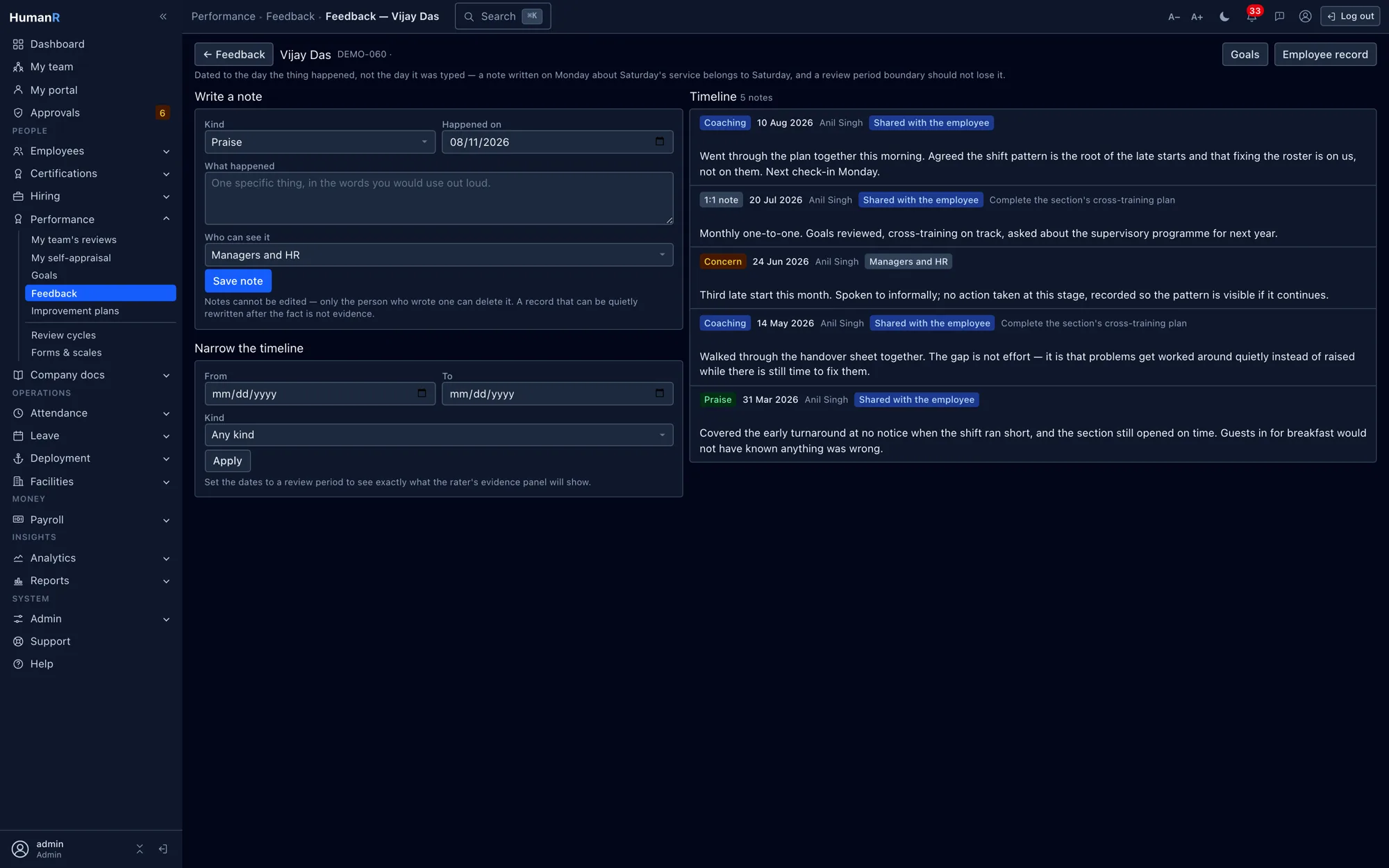
Praise, concerns, coaching and one-to-one notes recorded on the day they happen, each with its own visibility — private to the author, up the manager chain, or shared with the employee. Notes falling inside a review period surface on the review form. This is what makes the annual conversation about the year rather than about February.
Calibration that advises and never enforces
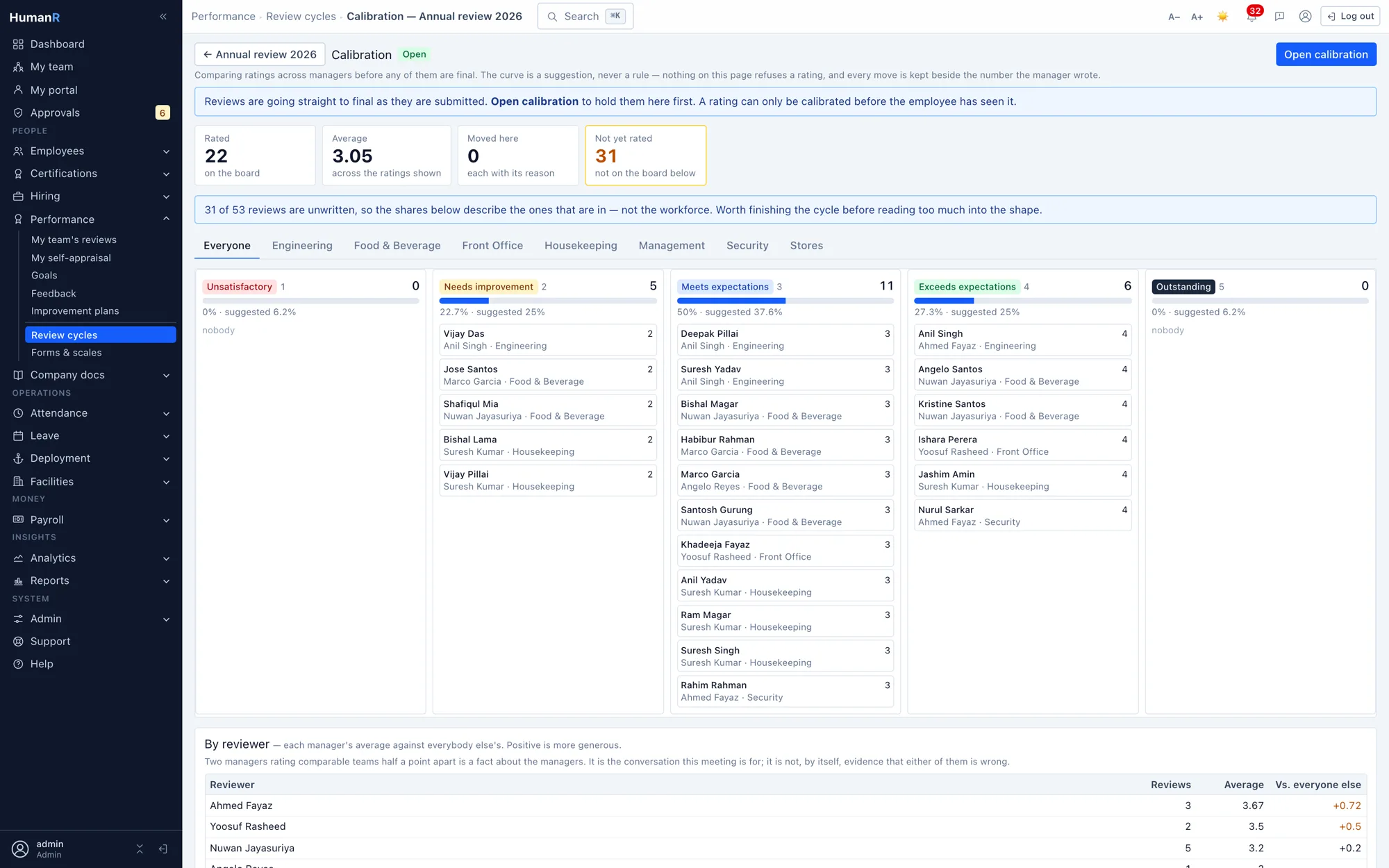
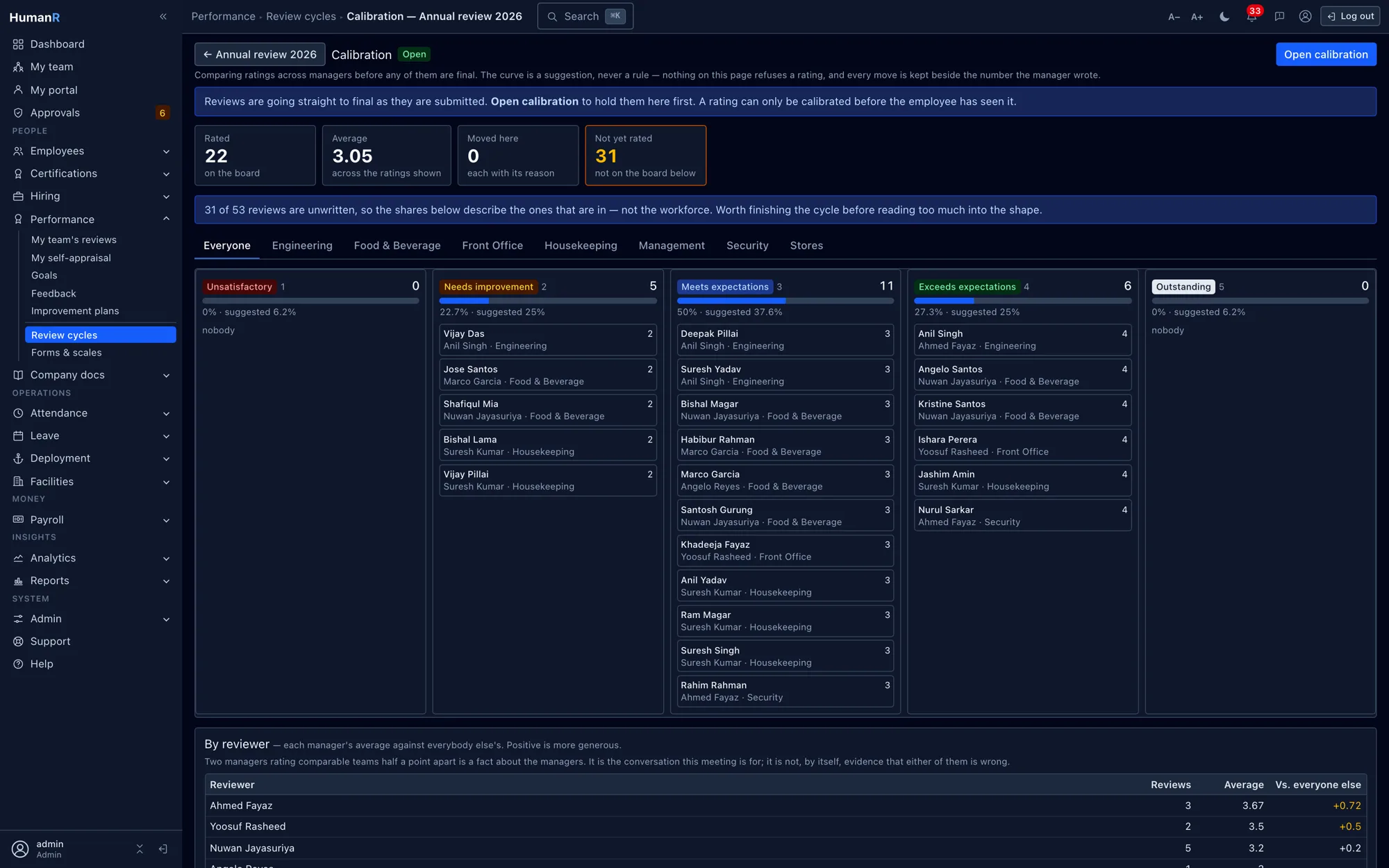
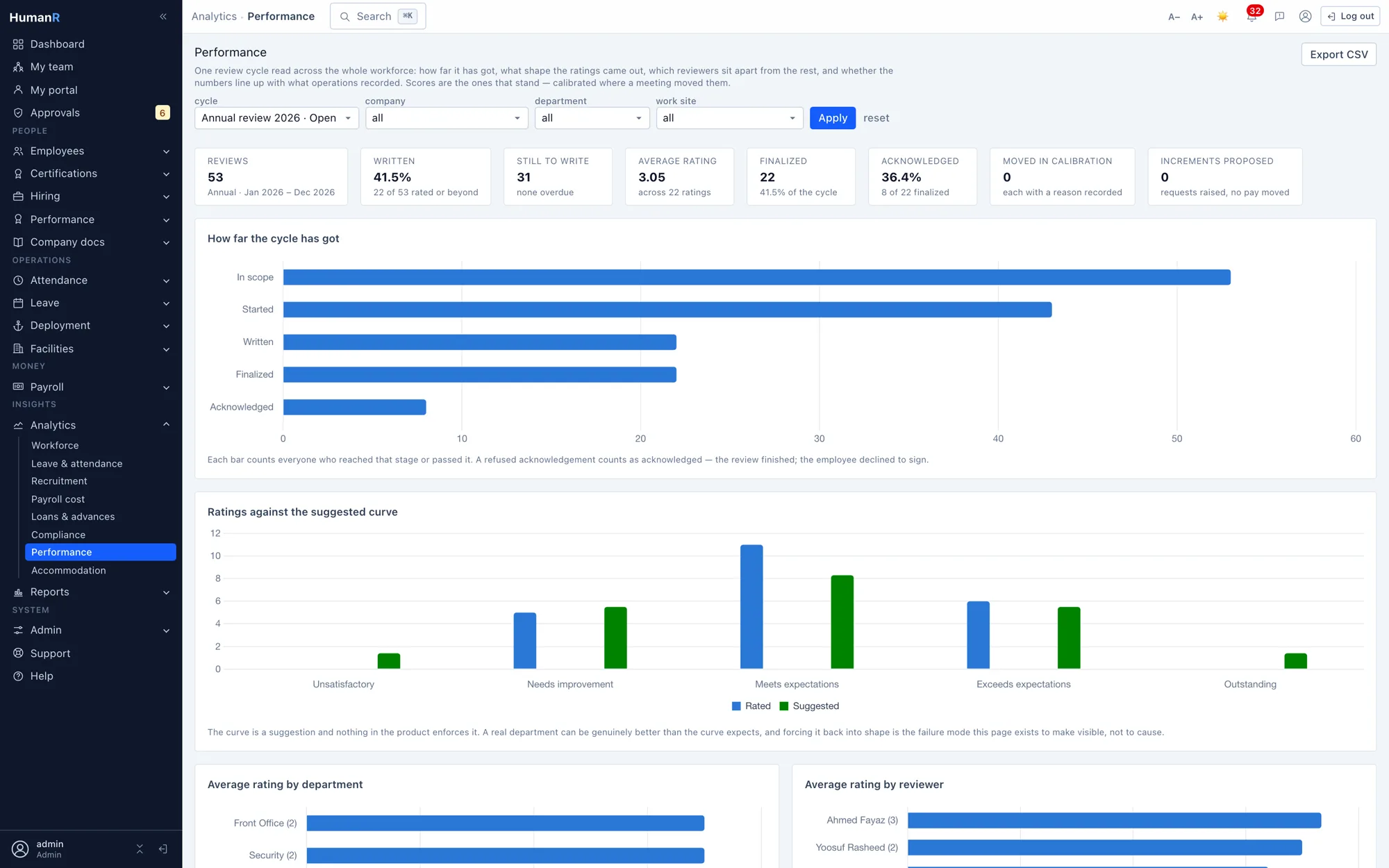
A grid of the cycle by department with a live distribution against a suggested curve. The curve warns; it never blocks, and no rating is ever forced into a band to satisfy it. Every move keeps the manager's original number, records the calibrated one, requires a reason, and writes an audit row. Forced ranking is a thing we deliberately did not build — the research on it is not ambiguous.
The rating reaches the money, through the approval route
A finalized review proposes a salary increment carrying the appraisal score that earned it, raised as a request in the existing increment workflow with its own approval route. Nothing is applied automatically and no pay moves without a person. The join between a rating and a payslip is the one a standalone review product structurally cannot make.
Improvement plans with dates and a support column
Opened from the review that prompted it: a concern, objectives, what the company is providing, a start, a mid-point and an end — and a nightly chase on the mid-point, because a plan that ran to its date with no conversation is a document saying support was promised and then the date passed. It records an outcome and writes no disciplinary case by itself.
Signed by the employee, including the ones with no login
Staff read the finished review in the portal and acknowledge it, with their comments attached. For staff without a login, acknowledgement is taken at a kiosk with a typed name. Refusing to sign is recorded as its own fact, because 'shown it and would not sign' is materially different from 'never shown it', and that is the one that gets asked about later.
Scores are a separate permission from the module
Opening the register and reading the number are two different rights. Without the sensitive-performance permission, the scores, comments and evidence are masked — in the screens, in exports, and in anything built in the report builder. Otherwise one reporting permission would hand somebody the whole workforce's ratings.
A dashboard that answers the head-office questions
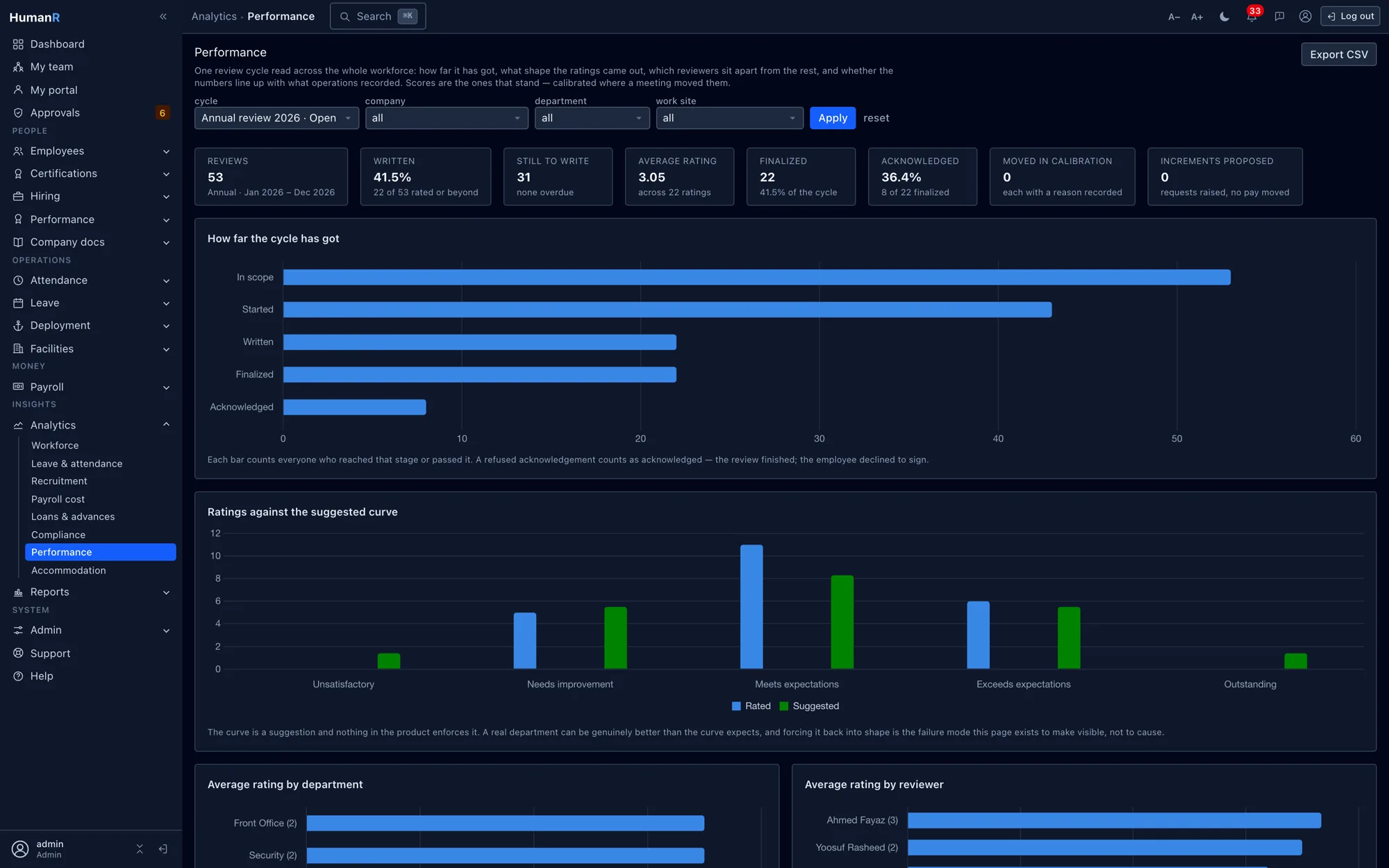
How far the cycle has got, the shape of the ratings against the suggested curve, average rating by department and by reviewer — that second one is how you find the manager rating everyone a 4 — and average rating against attendance in the same period. Plus the rows needing action: reviews overdue, finalized reviews unsigned for a fortnight, acknowledgements refused, and serving staff who have never been in a cycle at all.
Straight from the product
Real screens from the demo company — the same system your login opens.
Works best with
Biometric Attendance & Overtime
Punches flow in from your devices — timesheets build themselves
Explore →Certifications & Training
What your people hold, what their role requires, and the gap between the two
Explore →Learning & Training
Teach it however you like — the record lands in the same register
Explore →Dual-Currency Payroll
MVR and USD, Ramadan runs, loans and holds — payday without the panic
Explore →Approvals & Workflows
Every sensitive action gets the right eyes — automatically
Explore →Questions
How is this different from the performance module in a bigger suite?
Feature for feature it is not, and we would not claim otherwise — cycles, 360, goal trees and calibration are a solved category. The difference is what the form knows. Our review sits in the same database as the attendance punches, the disciplinary file, the certification register and the deployment history, so the period's record renders on the page the rater is filling in. A suite's review module asks a manager to recall it; a dedicated review product cannot even ask, because that data is in a different system entirely.
Do you enforce a bell curve in calibration?
No, and we will not add it. You can set a suggested distribution and the board shows how the cycle sits against it, but nothing is ever blocked or auto-moved. Forced ranking has been abandoned by the companies that made it famous, and the evidence on it is consistent: it misidentifies people and it damages exactly the teamwork you are trying to reward. What we do enforce is that a changed score keeps the original number, the new one and a written reason.
Our supervisors don't sit at desks. Is this realistic for them?
It is the case the module was designed around. The crew screen is one page per manager, works on a phone, and puts the ratings and the evidence in the same row so nothing has to be looked up elsewhere. Employees acknowledge on their own phone through the portal, or by typed name at a kiosk if they have no login at all.
Can we run it just for probation confirmations at first?
Yes, and several operations should. Probation is a cycle kind of its own, on its own short scale, and it raises itself thirty days before the date rather than waiting to be remembered. Annual cycles can come later — the probation half needs no goals, no calibration and no configuration beyond the dates you already hold.
What about learning management and succession planning?
Neither, and both are deliberate. We keep a certification and training register — what people hold, what their role requires, what lapses next — but it is a register, not a course-delivery platform, and we do not model succession or nine-box potential. The templates ask about performance, not potential, so a nine-box grid here would be a chart about an axis nobody rated.
Jionee mwenyewe kwa data inayofanana na yako
Omba demo na tutakutumia kwa barua pepe akaunti yako binafsi ya kuingia katika kampuni ya mfano iliyojaa data — chunguza skrini halisi zenye data ya kweli ndani ya dakika chache.
Hakuna kadi ya mkopo. Hakuna simu ya mauzo. Akaunti halisi ya kuingia, inayotumwa kwa barua pepe.