Excel Migration
From a 26-sheet workbook to a live HR system — in days, not months
Most HR teams don't start from zero — they start from a giant Excel file that only one person truly understands. HumanR was built around that reality: a battle-tested importer reads your existing registers, salary sheets, leave trackers and item logs, and turns them into a clean, connected system without retyping a single row.
See it live — demo in minutes →Sound familiar?
One shared workbook, dozens of sheets, and no way to know which copy is current
Staff numbers reused, rosters duplicated, formulas quietly broken for months
Payroll edited in place every month — last month's numbers are gone forever
Migrating to 'proper software' quoted in months of consulting fees
What you get
Multi-workbook importer
Reads staff registers, salary sheets, leave trackers, recruitment status sheets, accommodation and item trackers — six-plus workbook shapes detected automatically.
Messy-data tolerant
Duplicated rosters, reused staff numbers, merged cells, typo'd sheet names and swapped date formats are handled — the importer was hardened on real HR workbooks, not lab samples.
Idempotent re-runs
Run the import weekly during transition. Rows sourced from sheets are refreshed; anything you entered manually in HumanR is kept.
Import validation report
Every run produces an HTML report of what was imported, matched, skipped and flagged — so you can hand your data-quality issues to HR as a checklist.
Payroll cutover done right
Your current salary sheet is loaded as a finalized, historical payroll snapshot — from the first month, HumanR owns payroll history your workbook never kept.
Source tracking
Every imported row is tagged with its source, so you always know what came from the workbook and what was born in the system.
Straight from the product
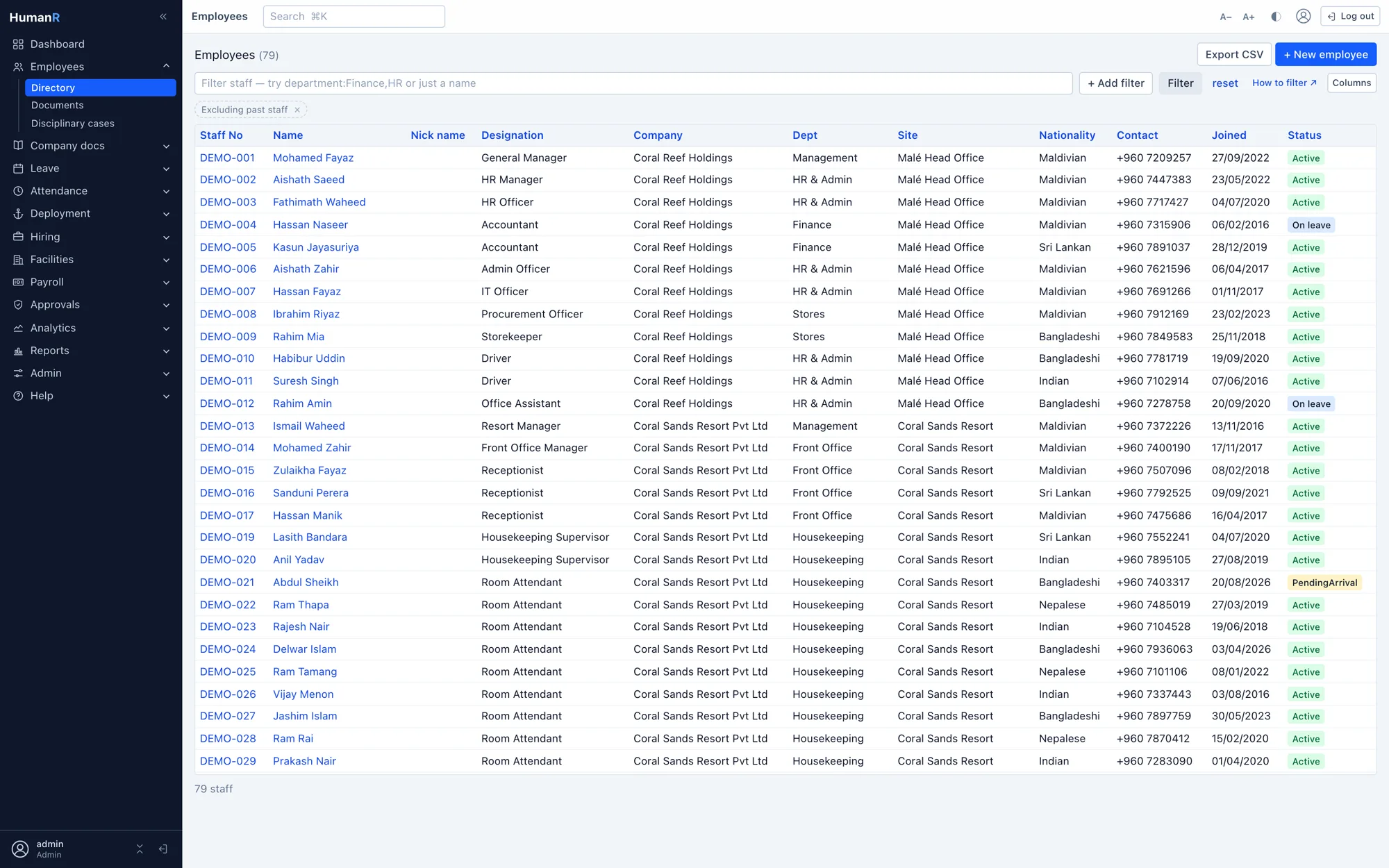
Real screens from the demo company — the same system your login opens.
Frequently asked
How long does a typical migration take?
Days. The importer does the heavy lifting; most of the time goes into reviewing the validation report with your HR team and deciding how to fix historical inconsistencies the workbook was hiding.
What if our Excel file is a mess?
They all are — that's the point. The importer was built against real registers with duplicated rosters, reused staff numbers and broken formulas. Whatever it can't confidently interpret, it flags in the report instead of importing bad data silently.
Can we keep using Excel during the transition?
Yes. Imports are safe to re-run, so you can keep the workbook alive for a few weeks while the team switches over, then re-import to catch the final changes.
Do we lose our history?
No — you gain it. Historical leave records, terminated staff, item issues and your current payroll month are all imported, and from then on the system keeps the history your workbook overwrote every month.
See it with your own data-shaped data
Request a demo and we'll email you a personal login to a fully loaded demo company — explore real screens with realistic data within minutes.
No credit card. No sales call required. A real login, emailed to you.