Search, Filter & Export
Your Excel reflexes, upgraded — filter any list, shape it, take it with you
The real reason HR lives in Excel is filter, sort, hide columns and 'let me just get this into a sheet'. HumanR keeps every one of those reflexes: a query language that reads like plain English, filter chips anyone can click together, per-user column choices that stick, and an export button on every list that gives you exactly what you filtered.
See it live — demo in minutes →Sound familiar?
Answering 'which contracts end this quarter?' means exporting everything and pivot-tabling
HR systems with rigid dropdown filters that never combine the way the question was asked
Every screen shows someone else's idea of the right columns
The moment data leaves Excel, people fear they'll never get it back out
Capabilities
What you get
7 capabilities
A query language for your workforce
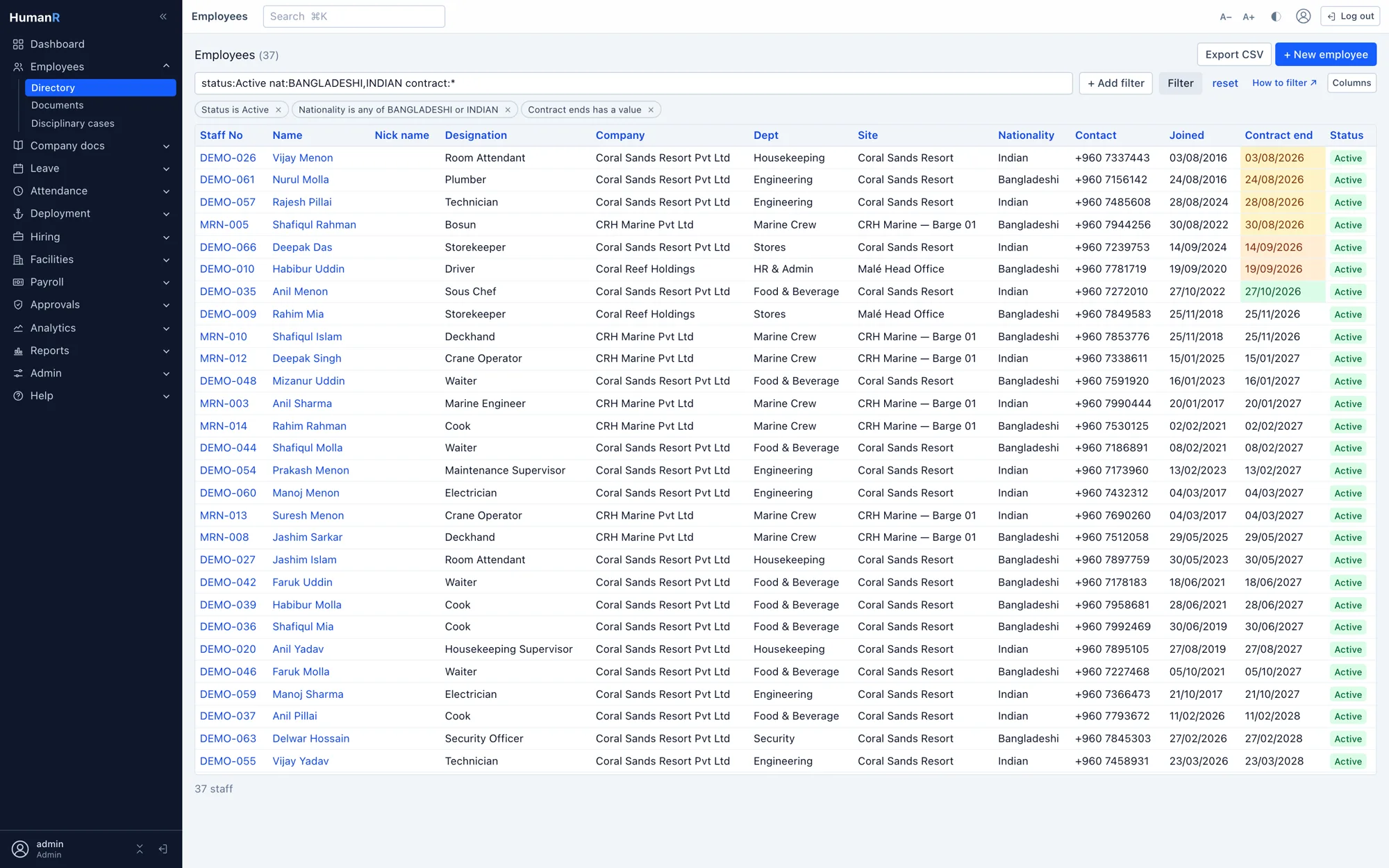
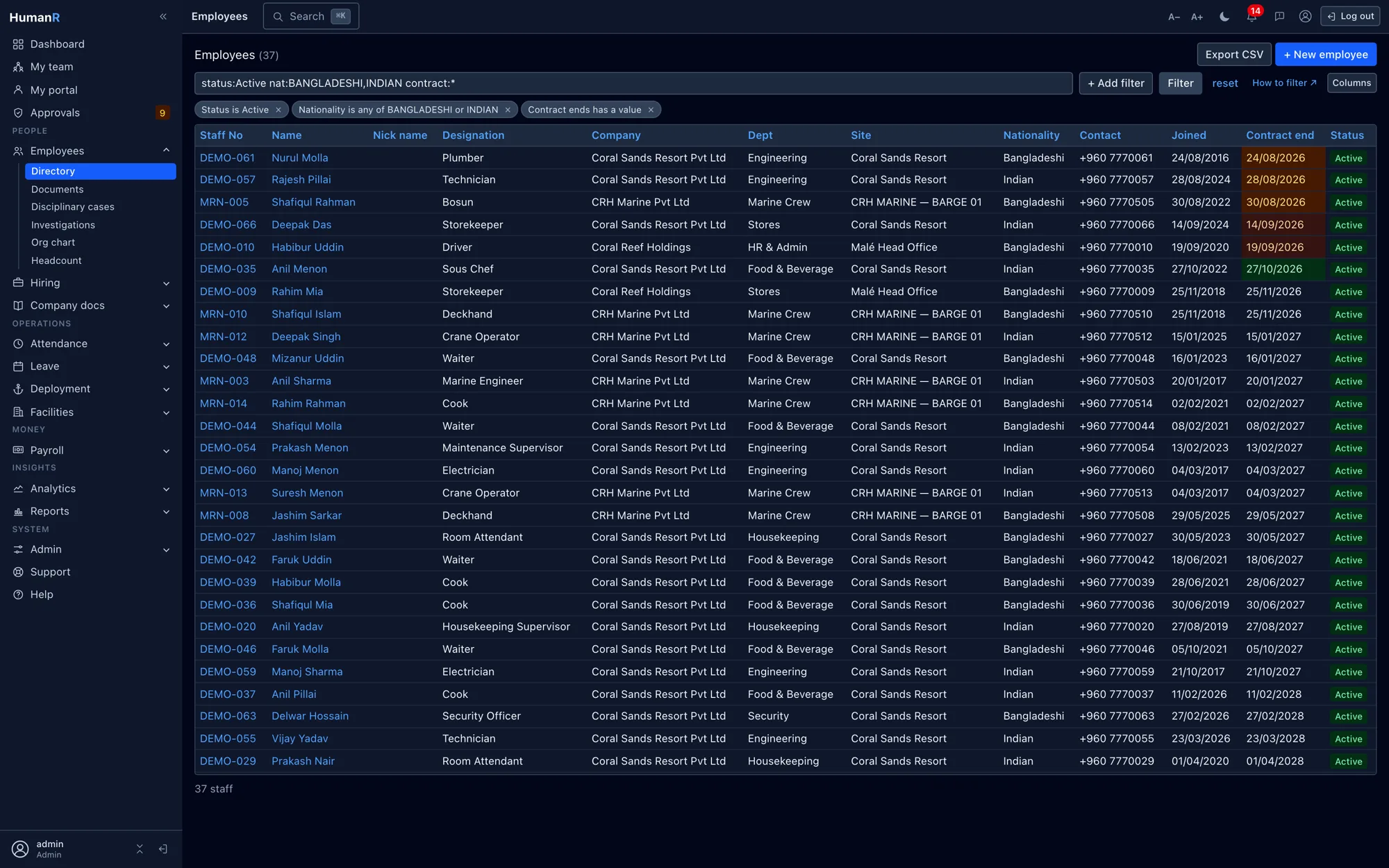
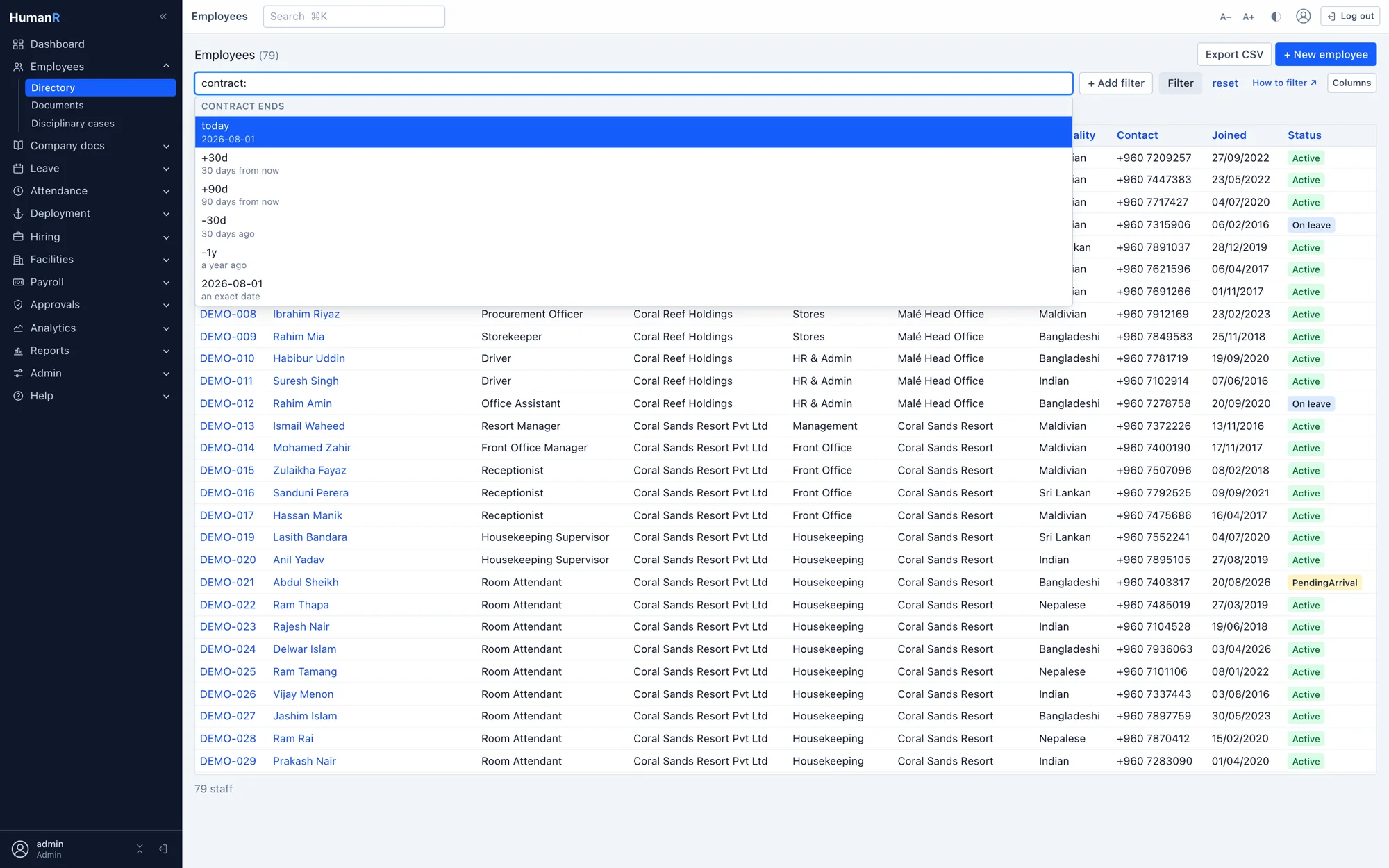
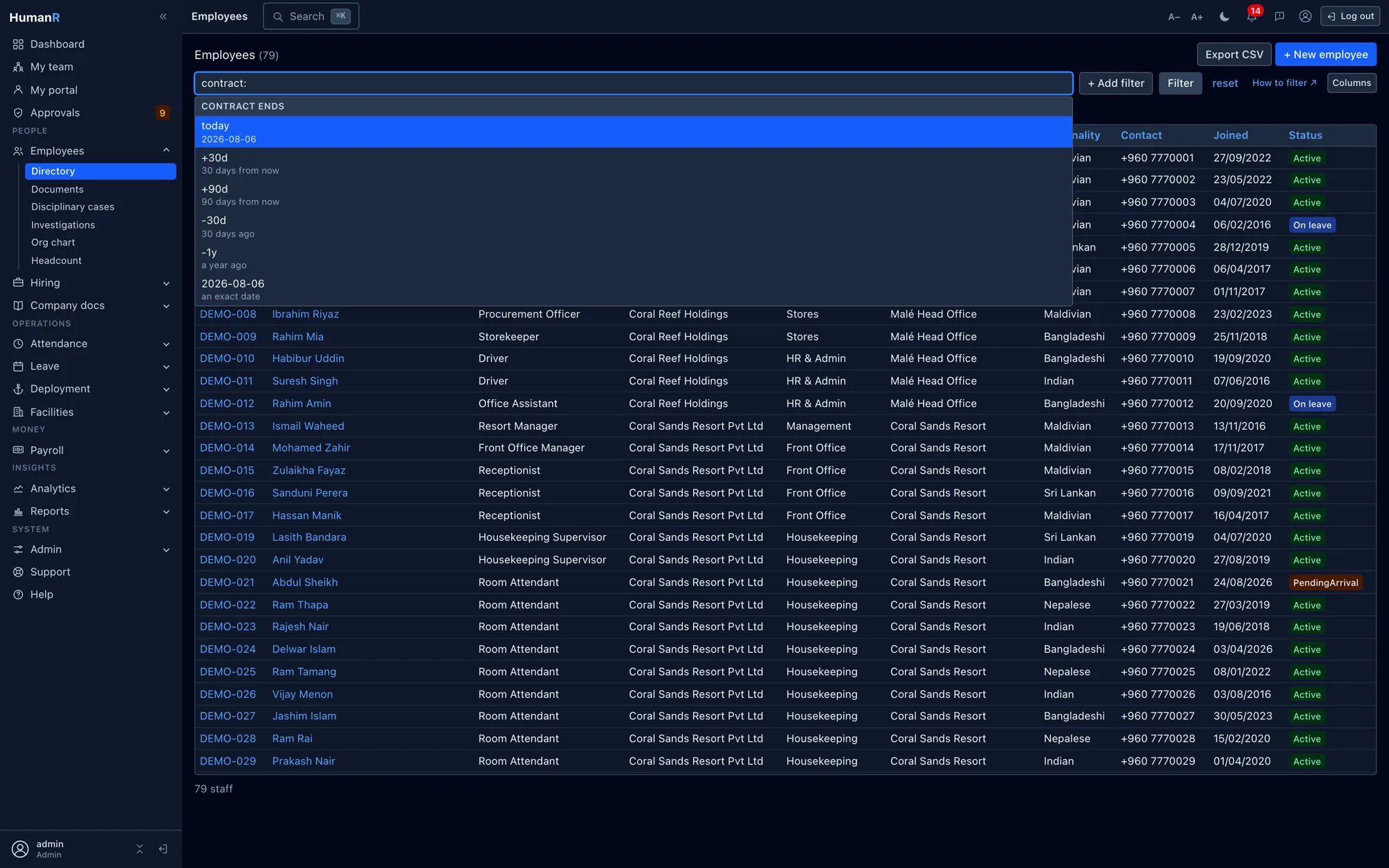
Type status:Active department:FINANCE,ADMIN contract:<=+90d and hit enter — combine any columns with contains, starts-with, ranges, negation and relative dates like +90d or -1y. No SQL, no percent signs.
Filters as chips
no syntax required
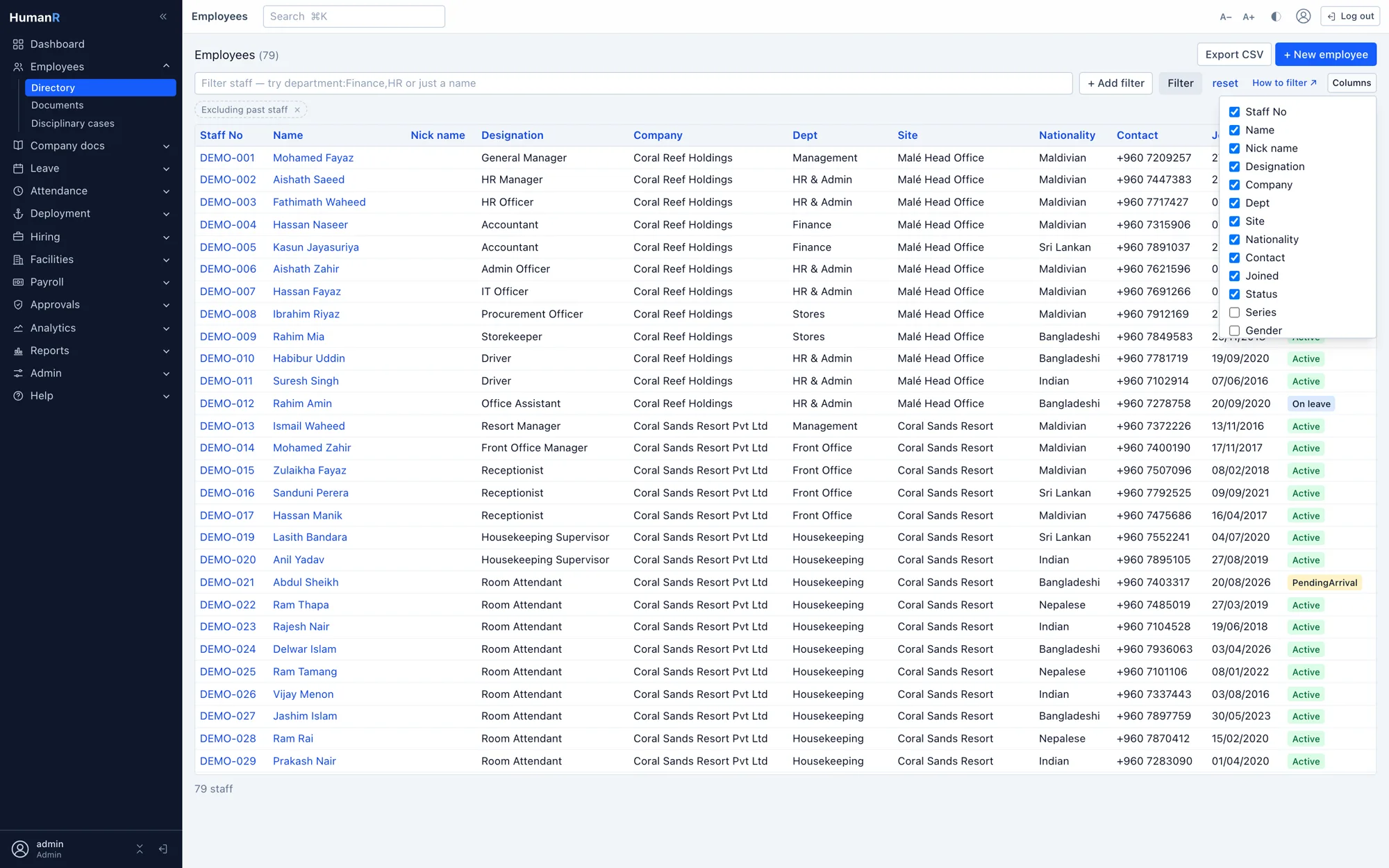
The same filters exist as clickable chips and an '+ Add filter' menu. Chips and query box are built from one grammar, so whatever the menu offers, the box accepts — and vice versa.
Just type a word
Anything that isn't column:value searches names, staff numbers and contact details — a phone fragment or half a name is enough to find someone.
Jump anywhere with ⌘K
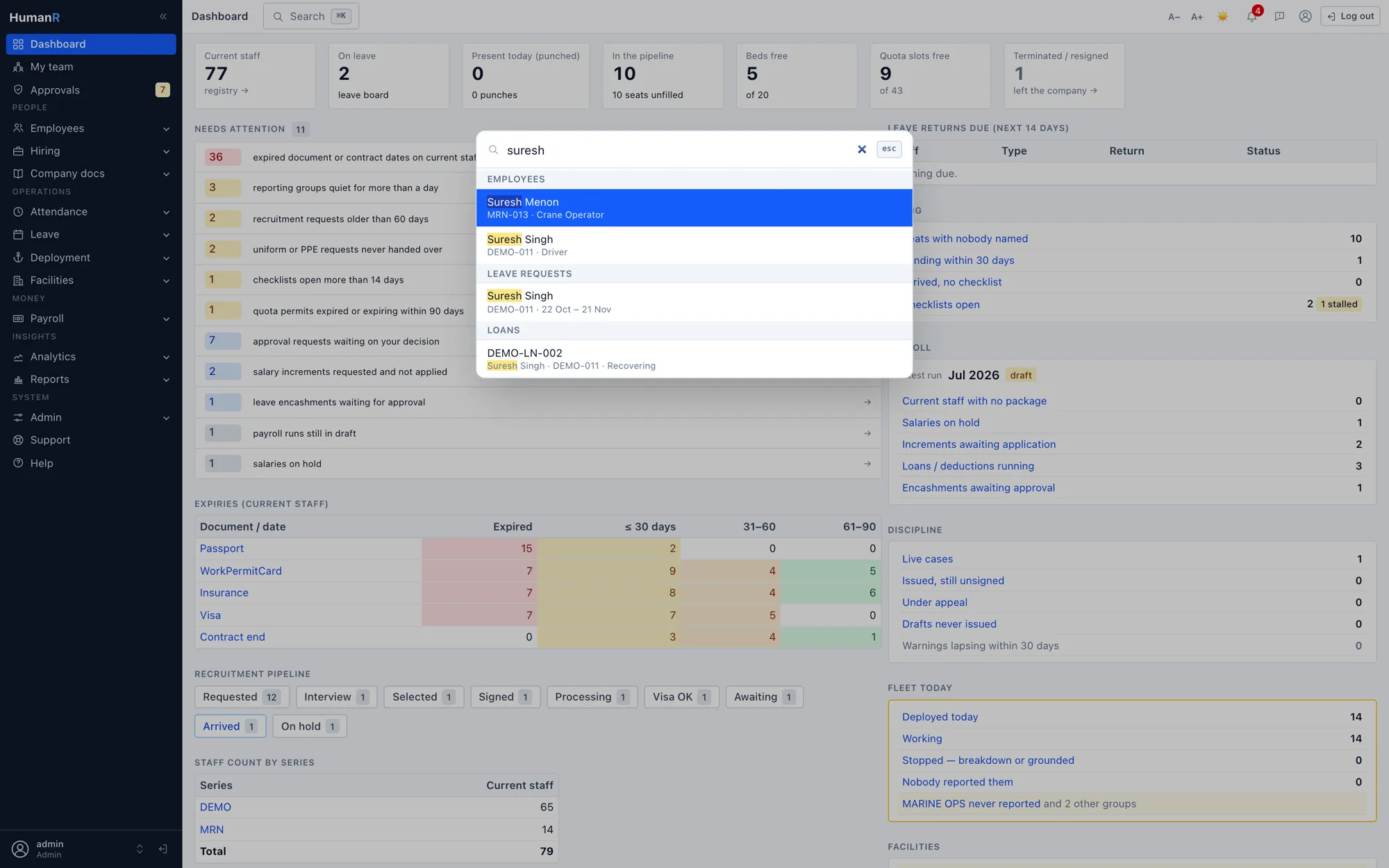
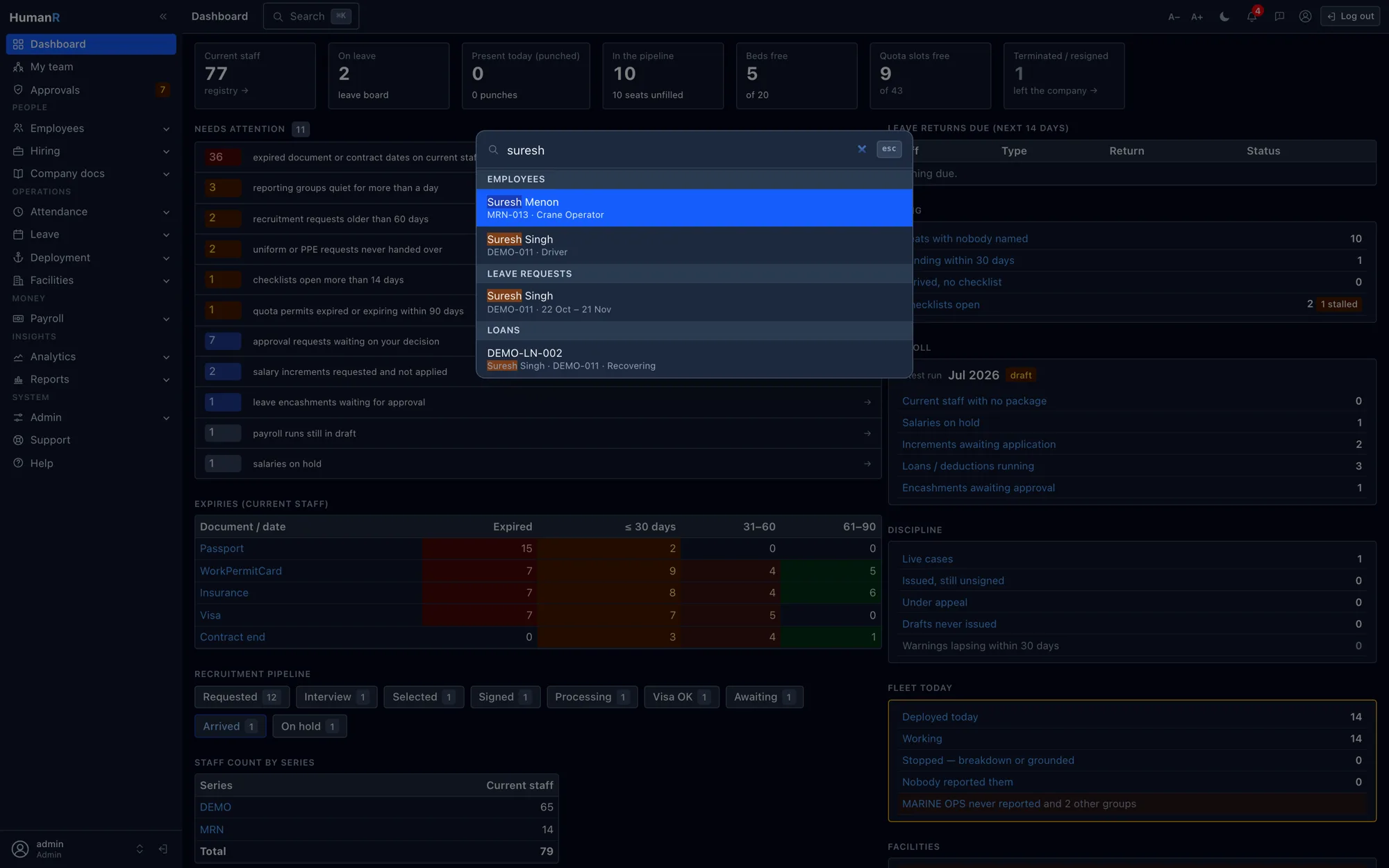
The topbar palette finds any employee, leave request, case, candidate — or any screen — from wherever you are. Type half a name, hit enter, you're there.
Columns you choose, remembered
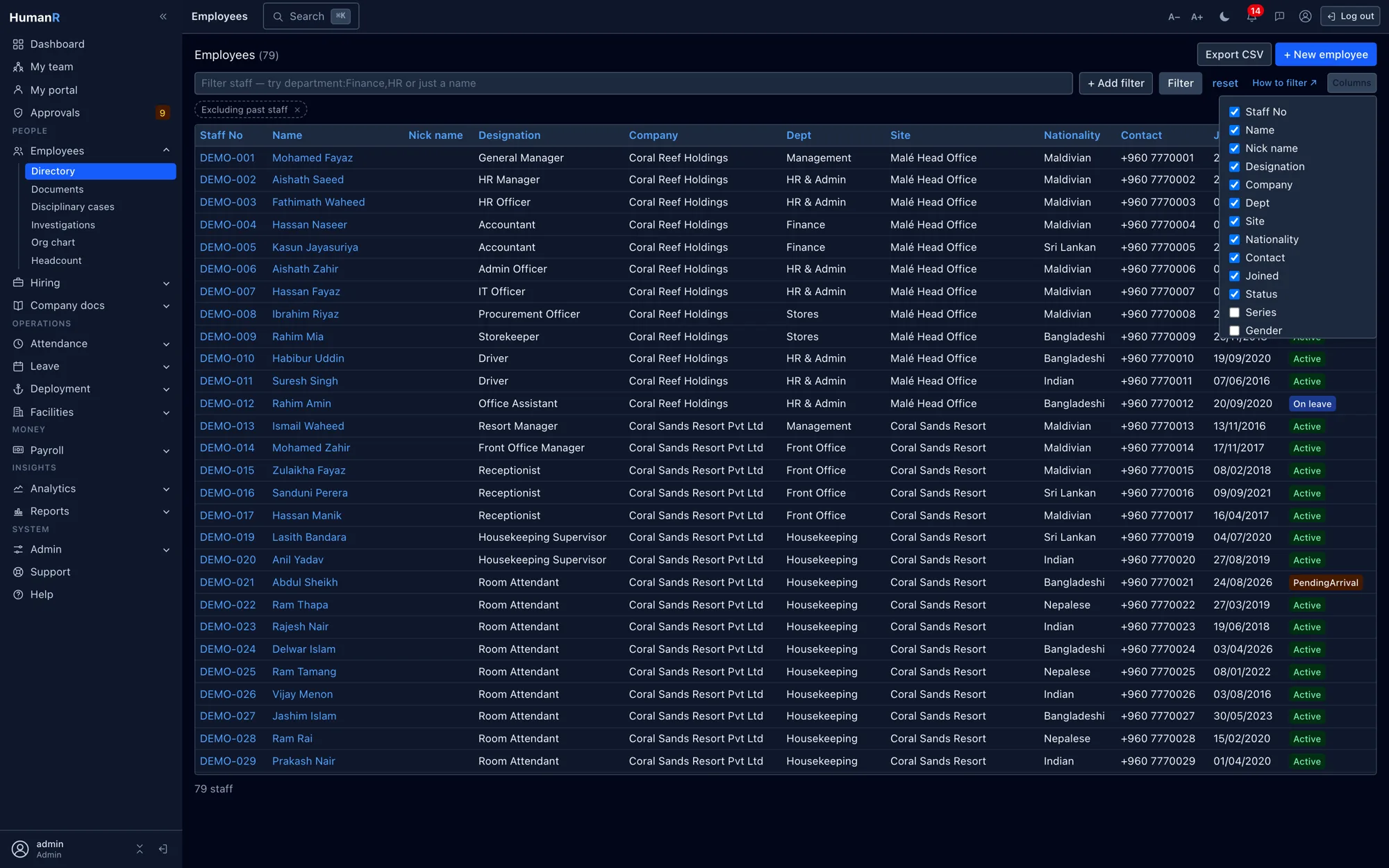
Every table has a column picker. Hide what you never read, surface what you check daily — choices persist per user, and new columns arrive with sensible defaults.
Export what you see
Employees, payroll, leave, documents, deployment, recruitment, discipline, housing — the export honors your current filters, so the sheet that downloads is the answer, not the raw dump.
Chase lists in one expression
contract:<=+90d — contracts ending within 90 days, expired ones included. probation:<=+30d, permit expiry runs, missing-document sweeps: the daily chase lists are one line each.
Straight from the product
Real screens from the demo company — the same system your login opens.
Works best with
Reports & Analytics
The questions HR gets asked daily — answered live, not compiled weekly
Explore →Finance & GL Export
Payroll leaves as a balanced journal your accounting system already understands
Explore →Employee Records & Compliance
Every employee, every document, every expiry date — one source of truth
Explore →Questions
Do we have to learn the query syntax?
No. Everything the query box does is also available as clickable filter chips and a menu — the syntax is a shortcut for people who want it, not a requirement. Teams typically start with chips and pick up the shorthand naturally.
Can we still get our data into Excel?
Any list, any time — one click, honoring the filters you have on screen. The point isn't to lock data in; it's that the master copy stops living in a workbook.
We have Excel power users — will this feel like a downgrade?
The opposite. Anyone comfortable with LIKE '%FIN%' or pivot filters maps their habits directly: ~ is contains, ^ is starts-with, comma is 'any of', minus is 'not'. The in-app help even translates common SQL patterns to the syntax.
Does everyone see the same view?
Column choices are per user — a recruiter and a paymaster can keep completely different views of the same list without stepping on each other.
See it with your own data-shaped data
Request a demo and we'll email you a personal login to a fully loaded demo company — explore real screens with realistic data within minutes.
No credit card. No sales call required. A real login, emailed to you.