Workflow
Approvals workflow
One engine sits behind every request that needs a sign-off — a salary increment, a leave request, a leave encashment, a salary hold. This guide explains the journey a request takes from submitted to decided, exactly what each request and step state means, how a request finds its approver, and the two things that keep a queue moving: delegation and escalation.
This is the guide HumanR users read inside the product, published as-is. It is written for someone with the screen in front of them, so it describes buttons you cannot click from here — which is rather the point: you can check how the product behaves before you commit to it.
Overview
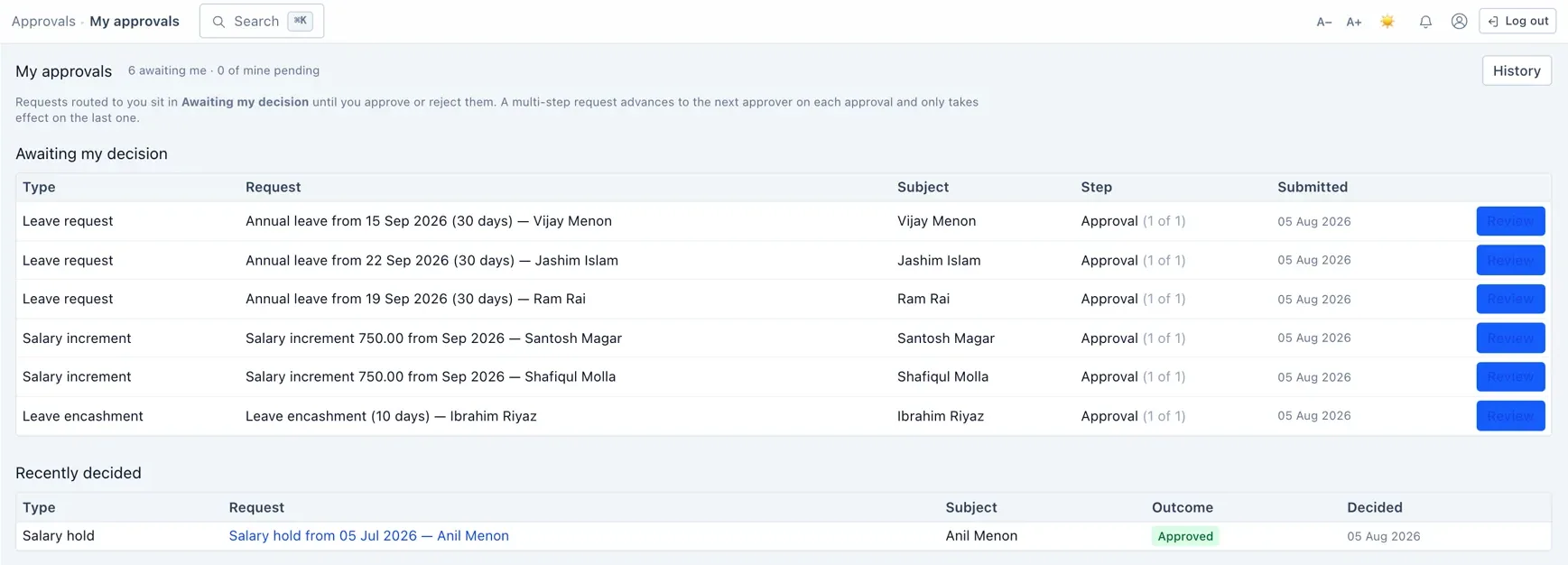
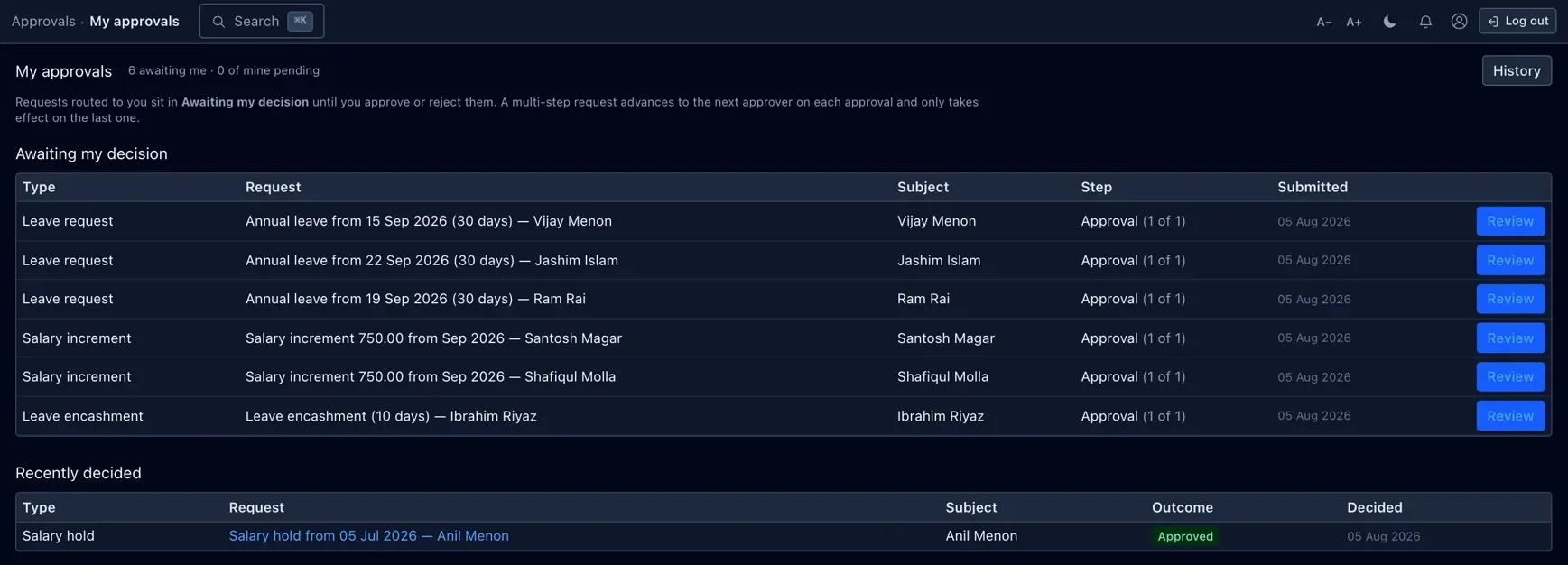
Some records cannot just be saved — they have to be asked for and then granted. A pay rise, a stretch of leave, cashing in leave, holding someone's salary: each is a request that someone raises and someone else decides. Rather than bake that back-and-forth into every screen separately, HumanR runs them all through one approval engine.
The engine owns only the gate: submitted → approved or rejected. It does not replace the record itself. A salary increment still has its own life after approval (Requested → Applied → Declined); leave still moves Requested → Approved → Gone → Returned. The approval request is a companion that sits beside the real record and decides one thing — may this go ahead? — then, the moment it is approved, runs the real change (raises the basic, marks the leave approved, and so on).
A request, step by step
- Someone raises it. Requesting a pay rise, applying for leave, cashing in leave or holding a salary creates the underlying record in its initial state and opens an approval request beside it. The engine reads the matching route and lays out the steps the request must pass — a snapshot, so editing a route later never rewrites a request already in flight.
- It waits on the current step. The request is Pending and its first step is open. Whoever the step resolves to sees it in their My approvals worklist.
- An approver decides. They approve (optionally with a comment) or reject. An approval on a middle step simply advances the request to the next step; a rejection at any step ends the whole request.
- The last approval commits the change. Approving the final step is what actually does the work — the basic pay rises, the leave is marked approved, the encashment is queued for payroll. The request becomes Approved and closes.
- Or the requester withdraws it. While it is still Pending the person who raised it can cancel, which drops the request and leaves the underlying record unchanged.
A request with no configured route and no fallback step (an explicit auto-approve route with zero steps) is committed immediately on submit — that is how salary holds keep today's "active on creation" behaviour. See Routes.
Request states
A request is always in exactly one of these. Approved, Rejected and Cancelled are final — once there, it never moves again.
| State | What it means |
|---|---|
| Draft | A momentary state that exists only between creating the request and laying out its steps. You will effectively never see it — a submitted request is Pending at once. |
| Pending | Live and awaiting a decision on its current step. This is where a request spends its whole working life until someone acts. |
| Approved | Every step approved. The domain change has run — pay raised, leave granted, encashment queued. Final. |
| Rejected | An approver declined it at some step. The underlying record is unwound (e.g. an increment is marked Declined). Final. |
| Cancelled | The requester withdrew it while it was still Pending. Treated like a rejection for the underlying record, but it was never turned down by an approver. Final. |
Rejected and Cancelled differ only in who ended it: an approver said no (Rejected) versus the requester pulled it back (Cancelled). The effect on the record is the same.
Step states
A request is made of ordered steps, and each carries its own state. Reading a request's steps top to bottom tells you exactly how far it got and who acted.
| State | What it means |
|---|---|
| Pending | Not yet decided. Exactly one step of a live request is the current one; steps after it are Pending but not yet open. |
| Approved | An approver signed off this step; it records who and when, and any comment they left. |
| Rejected | An approver turned the request down at this step. No later step is reached. |
| Skipped | Resolved away without a human decision — the still-pending steps of a cancelled request, or the steps of an auto-approve route. |
A step also remembers its SLA deadline (if the route set one), whether it was escalated, and — once resolved to a single account — who it was assigned to.
How a request finds its approver
Each step names who may act on it by a kind, and the engine turns that into a set of accounts at decision time. There are four kinds — think of them as "by role, by position, or by reporting line":
| Approver kind | Resolves to |
|---|---|
| Role | Everyone in a named role (HR, Admin, a custom role). |
| Permission | Everyone whose role carries a named permission — e.g. anyone who can manage payroll. |
| Designation (position) | The linked logins of everyone holding a fixed designation named on the route — "a Workshop Manager". |
| Reports-to designation (reporting line) | The linked logins of whoever the subject of the request reports to, read from that employee's reports-to designation — "this person's manager". The subject is excluded, so a manager's own request never routes back to themselves. |
Nothing dead-ends. If a step resolves to nobody — a designation with no holder, or no holder with a login — it does not get stuck. It falls back to the holders of Approvals · Manage, records why it landed there, and notifies them. A half-populated org can never freeze a request.
Routes & amount bands
A route is the ordered list of steps a given request type travels. Routes are configured on the Routes page (Approvals · Manage). A route can optionally carry an amount band — a minimum and/or maximum — so a large request can take a longer chain than a small one.
- When a request is submitted the engine picks the active route for its type whose band contains the request's amount, preferring the most specific band (a route with a floor set wins over an open-ended one).
- A type with no matching route is not left ungated: it gets a single implicit step on that module's Manage permission, so someone always has to sign it off.
- A route with zero steps is an auto-approve: the request commits the instant it is submitted. This is how salary holds stay active-on-creation without a behaviour change — add a step later to start gating them.
Each route step can also set an SLA (hours before it is overdue) and whether delegation applies to it. Because the steps are snapshotted onto the request at submit time, editing or deleting a route never disturbs requests already in flight.
Delegation
A delegation is a standing hand-off: while one person covers for another over a date window, the stand-in may act on any step the original approver could — optionally narrowed to a single request type. Set them up on the Delegations page.
It is additive and date-bound. During the window, both the original approver and the delegate can act; outside it, only the original. Nothing is reassigned or taken away — the delegate is simply folded into the set of people allowed to decide. This is what keeps approvals flowing while someone is on leave.
Escalation
When a route step sets an SLA, the current step gets a deadline. A background sweep runs periodically and looks for live steps that have sat past their deadline. Each one it finds is escalated: it is stamped with the time, and from then on the holders of Approvals · Manage may also step in and act on it — so an overdue request can never sit forever waiting on one unavailable person.
The whole sweep is attributed to the system and reads as a single "escalation sweep" entry in the audit log, however many steps it chased.
Who can do what
The Approvals section sits behind three permissions, layered on top of the live approver resolution above:
| Permission | What it grants |
|---|---|
| Approvals · View | Open the worklist and request detail, and see the dashboard's "waiting on you" count. The gate on the whole section. |
| Approvals · Act | Approve or reject from the worklist. This is necessary but not sufficient: on top of it, the engine still checks you are a resolved approver for that specific step (by role, designation, reporting line or delegation). |
| Approvals · Manage | Administer the routing-rule table — create and toggle routes and their steps, and manage delegations. Also the fallback authority an escalated or dead-ended step routes to. |
Out of the box Admin and HR hold all three. Two layers guard every decision: the permission says you may use the worklist at all, and the resolved approver for the step says whether this request is yours to decide. Cancelling is different again — only the person who raised a request may withdraw it. The exact role → permission map is on the Roles & permissions page.
One request, one audit entry
A single approval can touch several records at once — the request, the step, the salary package whose basic it raises, the increment it marks Applied. Rather than scatter that across a dozen field-level rows, the engine wraps each decision in one audit batch, so the trail reads the way a person thinks about it:
- submitting a request is one entry ("the submission of …"),
- each intermediate approval is one entry ("an approval step for …"),
- the final approval — request, last step and the domain change together — is one entry ("the approval of …"),
- a rejection, a cancellation and an escalation sweep are each a single entry too.
So a multi-step approval reads as one event per decision, attributed to whoever made it — not a wall of column changes. The full trail is on the Audit log.