Pay
Payroll workflow
How a payroll run goes from a blank draft to a finalized, locked record: what the system works out on its own, what a person enters by hand, who is allowed to change each thing, and how staff paid in more than one package or currency are handled.
This is the guide HumanR users read inside the product, published as-is. It is written for someone with the screen in front of them, so it describes buttons you cannot click from here — which is rather the point: you can check how the product behaves before you commit to it.
Overview
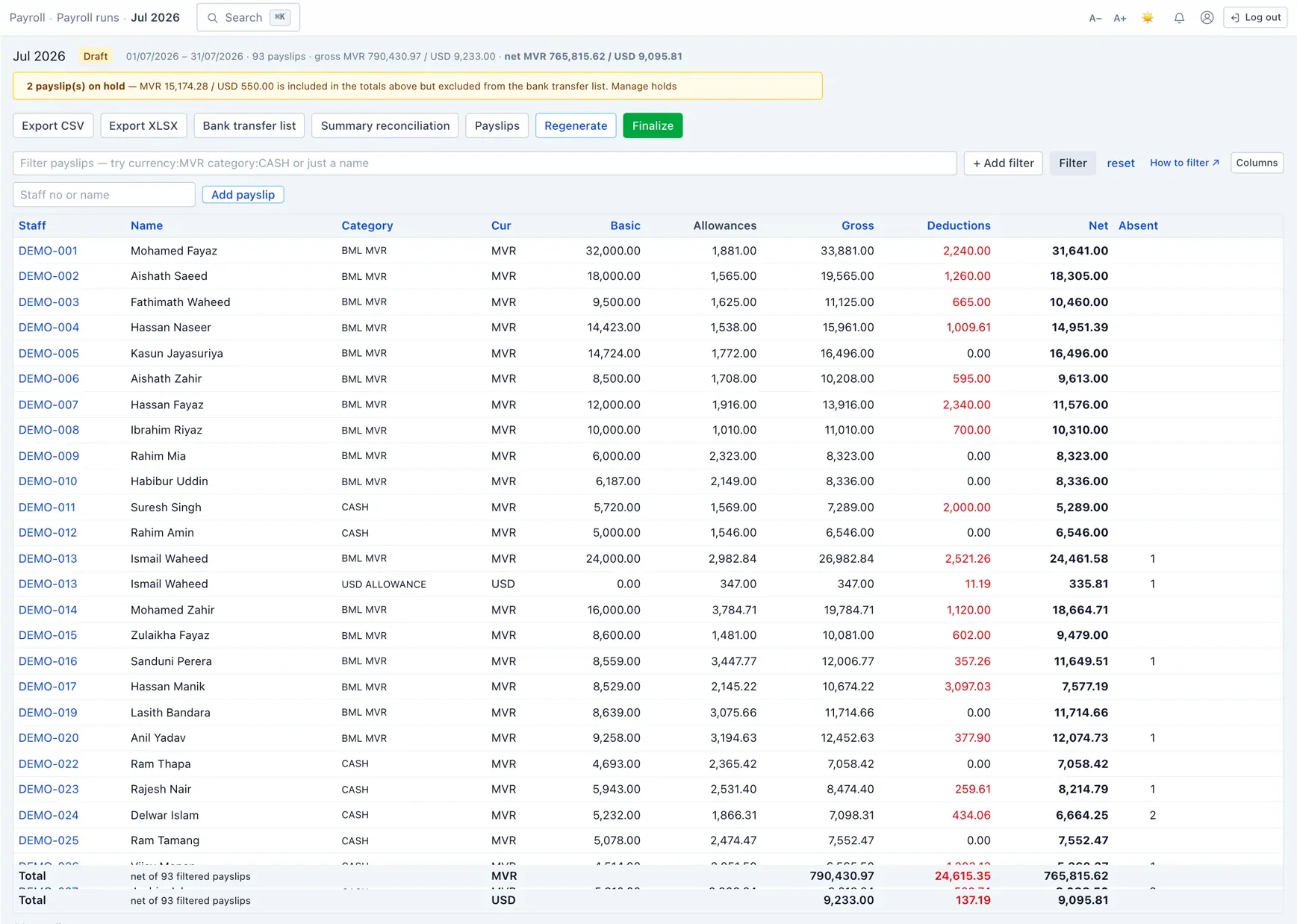
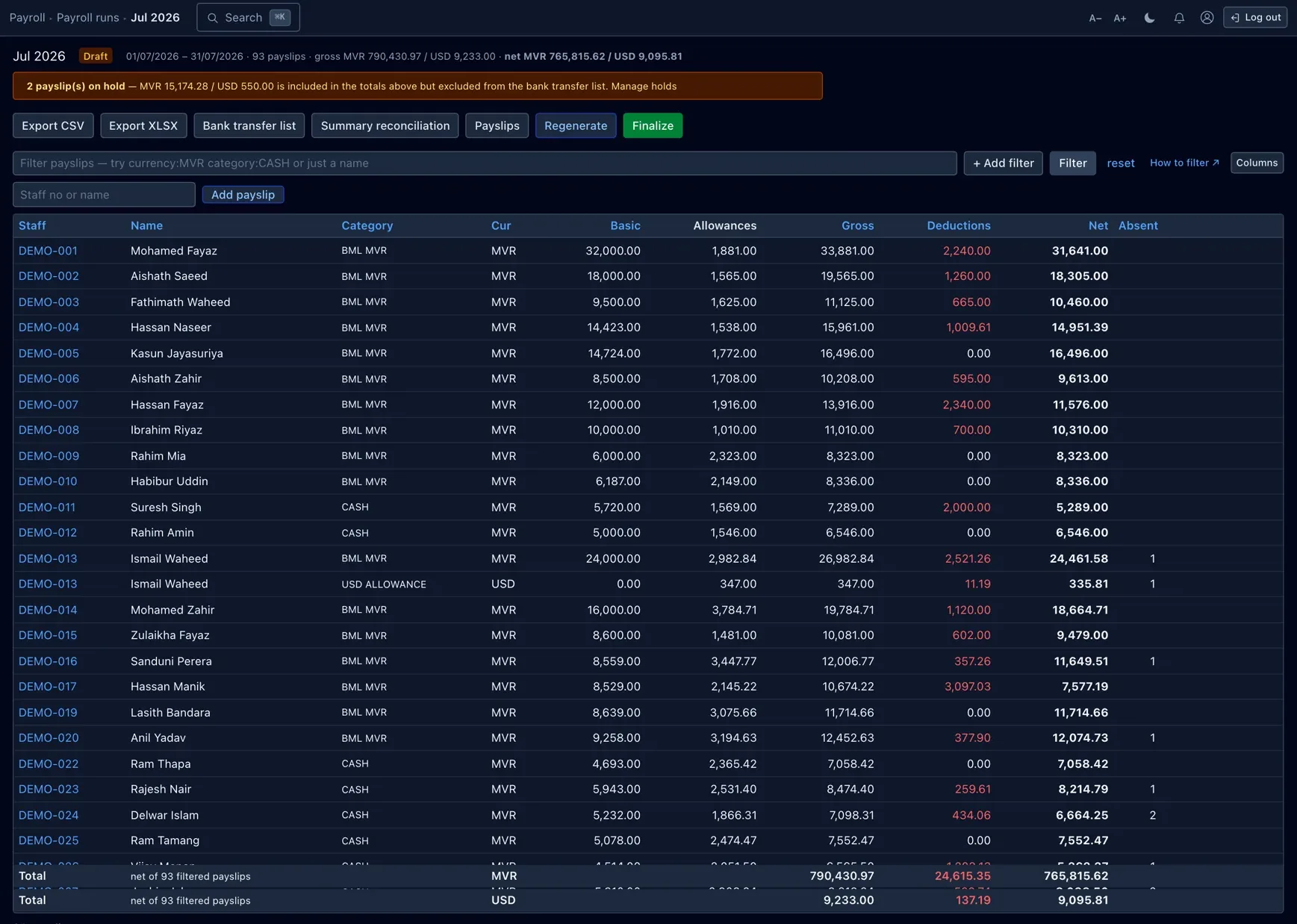
Payroll is organised into runs. A run is one pay cycle — normally a month, or a one-off Ramadan run — and it holds one line per employee per salary package. Each line is a small ledger: a basic figure plus a list of items, where every item is either an addition (something the employee earns) or a deduction (something taken off).
The pay period is not the calendar month. A month labelled “June” runs from the 25th of May to the 24th of June. Attendance and leave are lined up to the same window, so a day counted for attendance is a day paid in the run that covers it.
A line's totals are always Gross = Basic + additions,
Deductions = sum of deductions, and Net = Gross − Deductions. You never
type the net; it is recomputed the instant anything on the line changes.
A run, step by step
- Create the run. Pick a year, month and kind (Monthly or Ramadan). The moment it is created the system generates every line — one per active salary package — and fills in earnings, attendance-driven deductions, pension, loan and advance instalments automatically.
- Review & adjust (Draft). While a run is Draft you can edit any line: change the basic, correct absent or leave days, add a one-off bonus or deduction, add an employee the generator missed, or remove a line. Every edit re-totals that line at once.
- Regenerate if the source data changed. If salary packages, attendance or deductions changed after you created the run, Regenerate rebuilds the lines from scratch. This is deliberate and destructive: it discards manual line edits, so regenerate before you hand-adjust, not after.
- Finalize. Finalizing sets the run to Finalized, stamps who finalized it and when, and locks it — lines and items can no longer be edited. Finalizing is also what makes the run's loan and advance recoveries count toward those balances.
- Reopen only if you must. A finalized run can be reopened back to Draft (which clears the finalize stamps and refreshes loan statuses). Because balances are computed only from finalized runs, reopening cleanly un-counts what the run had recovered — nothing is double-charged.
The Payroll summary reconciles a run into a per-bank, per-currency withdrawal sheet once you are happy with it.
Sign-off by a second person
Where payroll sign-off is switched on, the button that finalizes a run reads Submit for sign-off. It does not release the run; it opens a sign-off request and the run turns Pending sign-off — read-only, so nothing changes under the person checking it.
- The request lands in the Approvals inbox of everyone holding the payroll approval permission — except the person who submitted it. If nobody else holds that permission the submit is refused and the run stays a draft.
- Approve finalizes the run exactly as finalizing used to: it locks, and its loan and advance recoveries start to count.
- Reject sends it back to Draft with the approver’s reason, for the preparer to fix and submit again.
With sign-off switched off, the same button finalizes the run in one step.
Emailing payslips
Payslips are never emailed as a side effect of finalizing. Once a run is Finalized, someone who may manage payroll presses Email payslips on the run and confirms in the dialog.
- Each employee receives only their own payslip, at the email address on their record. People with no email address are skipped, and the confirmation says how many.
- Where the employee portal is in use you choose Attach PDF or Link only; a link sends people to sign in and open the payslip in the portal.
- Emails go out in the background. Pressing the button again while some are still waiting does not queue those people twice.
Additions (earnings)
Most earnings come straight from the employee's salary package — the basic and its fixed allowances. The rest are worked out per run from attendance and the calendar:
| Earning | Source | How it is decided |
|---|---|---|
| Basic | Package | The core monthly pay on the salary package. |
| Allowances | Package | Each fixed component on the package — food, experience, service charge, risk, and so on — carried over as its own earning item. |
| Overtime | System | Only for OT-eligible packages. Hours clocked beyond the standard day are paid at the person's own hourly rate × the OT multiplier. Driven by attendance punches. |
| Friday allowance | System | For each Friday actually worked: a flat amount per day, or — where the site says so — every hour worked that day at the hourly rate × the holiday/weekend rate. Hourly-paid days are not paid again as overtime. |
| Ramadan allowance | System | Paid once a year in a Ramadan run to Muslim staff — a flat 3,000 MVR by default, always in rufiyaa. |
| Held salary released | System | When a hold is released, the pay withheld during it is paid out in the next monthly run as a single line (see Pay on hold). |
| Cancelled-leave salary | Entered → paid | When HR approves a leave encashment, its approved amount is paid through the next monthly run. |
| One-off earnings | Manual | A bonus or correction you add to a single line on a draft run. |
A pay rise is not entered on the run. It is an increment applied to the package, which raises the basic from the next run onward.
Deductions
Some deductions are worked out by the system from attendance and standing records; others are recurring amounts you set up once and let run. All of them are taken in the package's own currency.
| Deduction | Source | How it is decided |
|---|---|---|
| Statutory | ||
| Pension (MPRF) | System | 7% of the pension wage for staff registered in the scheme — charged once, on the main package. The employer matches it, so 14% is remitted in total. |
| Attendance & leave | ||
| Absence | System | A per-day rate × days marked absent in the period. |
| Sick / emergency leave | System | Unpaid sick, emergency or medical leave, clipped to the days that fall inside this pay period. |
| Other unpaid leave | System | Any other unpaid leave, priced the same way. |
| Recoveries | ||
| Loan instalment | System | The monthly amount on any loan that is disbursed or recovering — capped so the last instalment never overshoots the balance. Can be set to pause in held or unpaid months. |
| Salary advance | System | Recovered by a standing deduction that closes itself once the advance is fully repaid. |
| Standing & one-off | ||
| Standing deductions | Entered | Recurring amounts — court fee, external (e.g. MIB) loan, donation, other — set up on the Deductions screen with a monthly amount and a date window. |
| One-off deduction | Manual | A correction you add to a single line on a draft run. |
Loan and advance balances are never stored — they are recomputed from what finalized runs have actually recovered, plus any manual repayments. That is why a recovery only counts once the run is finalized.
Calculated vs. entered
The short version: the system does the arithmetic; people set the inputs. You do not type gross, net, pension, overtime or a loan instalment — those are derived. What a person controls is the underlying record.
- Gross, total deductions and net on every line
- Pension at 7% of the pension wage
- Overtime and Friday allowance from attendance
- Absence and unpaid-leave deductions
- Loan and advance instalments, capped to the balance
- Held-salary release and leave-encashment payout
- Salary packages — basic, allowances, currency, bank
- Increments, pension enrolment, overtime policy
- Standing deductions, loans and advances
- Holds, encashments and settlements
- Per-line corrections on a draft run
- When to finalize
So if a figure looks wrong, you fix its source — the package, the attendance day, the deduction record — and regenerate, rather than overtyping the total.
Who can change what
Payroll sits behind two permissions, and money is behind a third:
| Permission | What it grants |
|---|---|
| Payroll · View | Open every payroll screen — runs, packages, deductions, holds, settlements — and read them. This is the gate on the whole section. |
| Payroll · Manage | Make changes: create, generate, edit and finalize runs; edit packages, increments, deductions, holds and settlements. Every save or finalize needs this on top of View. |
| Sensitive · Pay | See the actual money. Without it a user with View still sees the roster and structure of a run, but salary, deductions, net and loan balances are hidden — not shown blank, removed. The same masking applies to exports. |
Out of the box, Admin and HR hold all three; a plain Viewer has no payroll access at all. Roles are configurable, so an account can be given, say, Payroll · View and Sensitive · Pay without Manage — a read-only payroll auditor who can see the figures but change nothing.
These checks run on the server, so a hidden column can't be revealed by editing the page, and a blocked action can't be forced through a link. The exact role → permission map is on the Roles & permissions page.
Packages & currency
An employee can be paid through more than one package, and each package has its own currency and bank details. The classic case is a split: part of the salary paid in USD to a foreign account and the rest as an MVR local allowance. Each package becomes its own line in the run, in its own currency.
When someone has several packages, one is the main package (the one with the largest basic). A few things attach only to it:
- Pension is charged once, on the main package.
- Overtime and the Friday allowance are added to the main package.
- An increment raises the main package's basic.
A deduction is routed to the package that matches its currency — a USD loan comes off the USD package — falling back to the main package when there is no currency match. This keeps every recovery in the right currency.
Pay on hold
A hold withholds an employee's pay without cancelling it. While a hold covers a run's period, that person's line is still fully calculated but flagged on hold: it is earned, and it shows on the run, but it is kept off the bank-transfer list at the bottom of the summary.
- Release a hold and the withheld pay is paid out in the next monthly run, gathered into one “held salary released” line covering all the months it spanned.
- Cancel a hold and the flag is simply dropped from the affected lines; past payslips are not rewritten.
A loan set to pause on hold or leave skips its instalment in any month the line is held or the employee is on unpaid leave, so a held month doesn't quietly eat into a loan balance. Holds are managed on the Holds screen; the reason for a hold is itself sensitive and hidden from users without the personal-data permission.
The other payroll screens
Everything a run reads from is maintained on its own screen:
- Salary packages — the basic and allowances behind every line; edit a package, add a second one, or change bank details here.
- Increments — request and apply pay rises; applying one lifts the main package's basic from the next run.
- Deductions — standing monthly deductions with a start/end window and an optional total cap that closes them automatically.
- Pension — who is enrolled in the MPRF, with the monthly contribution file to file with the scheme.
- Overtime — the per-site defaults (standard hours, break, OT multiplier, Friday rate) a package can override.
- Channels — the bank/cash payment methods behind each package, and a check that none are unmapped.
- Holds — withhold and later release or cancel an employee's pay.
- Final settlements — end-of-service pay: prorated salary, any encashment and held salary, gratuity, less outstanding loans and advances.
- Loans & advances — the loan book and salary advances the run recovers against.