Workflow
Discipline guide
Discipline records formal action fairly and keeps a defensible paper trail — from a first counselling note up to termination. This guide covers the steps a case goes through, what locks once a letter is issued, acknowledgement and appeals, financial penalties, and how attachments are kept.
This is the guide HumanR users read inside the product, published as-is. It is written for someone with the screen in front of them, so it describes buttons you cannot click from here — which is rather the point: you can check how the product behaves before you commit to it.
What it is
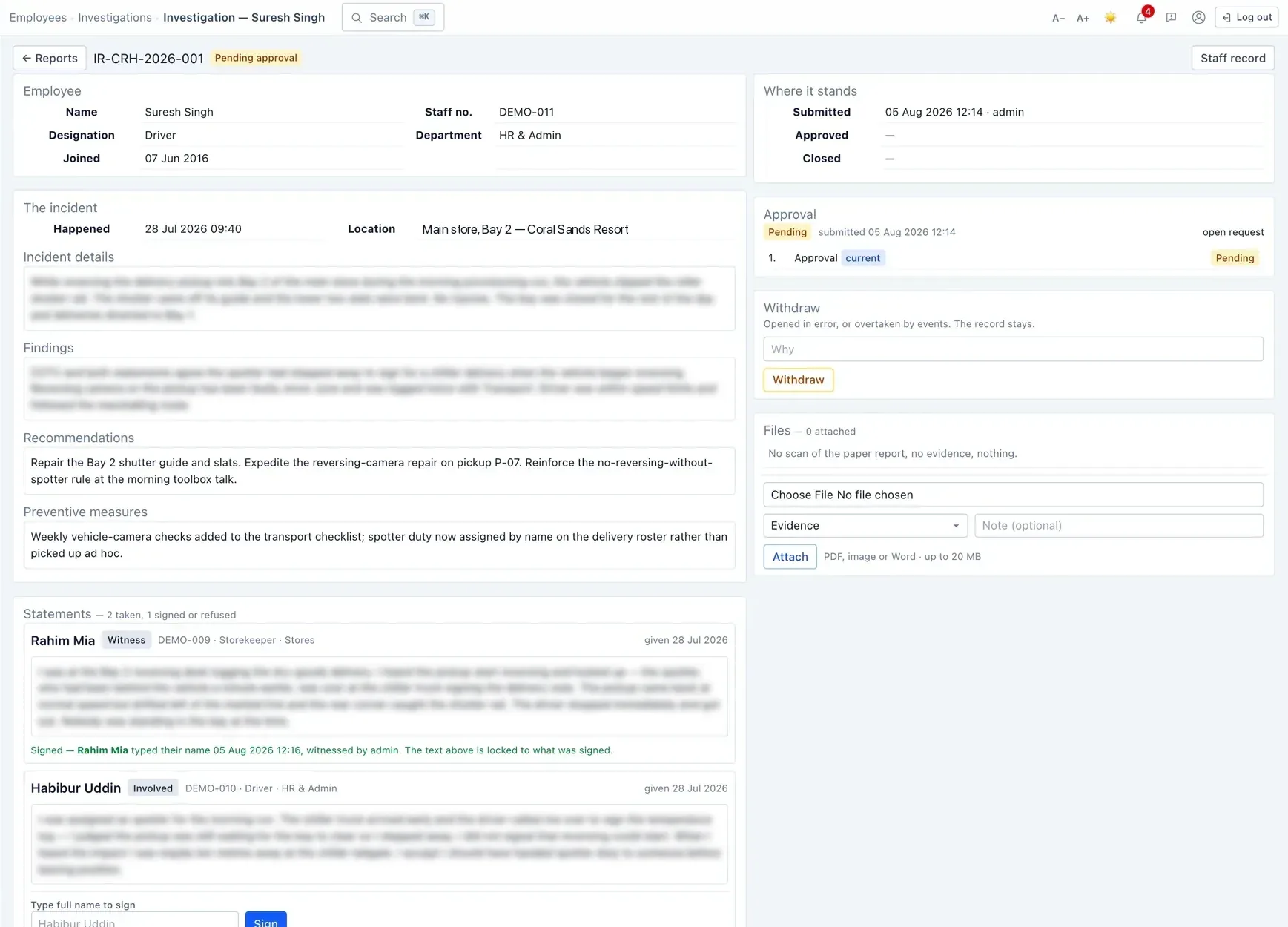
A disciplinary case captures one instance of formal action against an employee. The action sits on a ladder, from lightest to most serious:
Counselling → Verbal warning → Written warning → Final written warning → … → Termination.
Where a case sits on the ladder matters, because past issued cases are what justify a heavier measure next time.
A case, step by step
| Stage | What it means |
|---|---|
| Draft | Being prepared — nothing is official yet. |
| Pending approval | Submitted for sign-off. |
| Approved | Signed off, ready to issue. |
| Issued | Formally given to the employee — now on the record. |
| Acknowledged / Appealed | The employee has responded. |
| Closed / Withdrawn | Finished, or taken back. |
Issuing & what locks
Issuing is the moment a case becomes formal, and several things happen at once:
- A unique case reference is allocated.
- The header details (who, what measure, the date) are snapshotted — later changes to job titles or the like won't rewrite what the letter said at the time.
- The wording becomes read-only — you can't quietly edit an issued letter.
- A lapse date is set automatically — for warnings up to a final written warning, typically twelve months out — after which the case no longer counts against the person.
Acknowledge, appeal, close
After a case is issued, the employee's response is recorded:
- Acknowledged — they've received and signed for it.
- Appealed — they're contesting it; the appeal outcome is recorded.
- Refused — if they won't sign, that refusal is recorded explicitly, which is itself part of a fair record.
- Closed / Withdrawn — the case is concluded, or taken back.
Financial penalties
Where a penalty (a fine) is part of the outcome, you can raise it as a payroll deduction so it comes off pay through the normal run.
- The person must be a current staff member for a deduction to attach.
- Penalty amounts are pay-sensitive — you need the pay-sensitive permission to set or see them, just like other pay figures.
Attachments
You can attach the letter, a signed copy, evidence and supporting files to a case. Attachments are handled carefully:
- Up to 20 MB each, and only accepted file types (PDF, common image formats, and Word documents).
- Files are stored outside the public web folder, so they can't be reached by guessing a link — every download goes through a permission check and is logged.
- Each file's contents are fingerprinted so tampering would be detected.
Permissions & gotchas
- Discipline · View — see the register and cases.
- Discipline · Manage — create, approve-side, issue and close cases.
- Case-sensitive permission — needed to read the letter text; without it the case is visible but its wording is masked.
- Pay-sensitive permission — needed to see or set penalty amounts.
Worth remembering
- Issuing is deliberate and separate from approval — and it locks the wording.
- Only issued cases count on the ladder; lapsed ones no longer count.
- The register hides closed and withdrawn cases by default.
- You can delete a draft, but not an issued case — that's what withdraw is for.
- A refusal to sign is recorded, not ignored.