Time & attendance
Leave guide
One place for every leave record — who is away, who is due back, and how many days each person has left. You set the rulebook once (types, holidays, ticket intervals); after that every trip is a record that flows through approval, updates the person's status, and keeps its own running balance. This is the replacement for the leave tracker spreadsheet, done so a balance is never re-keyed.
This is the guide HumanR users read inside the product, published as-is. It is written for someone with the screen in front of them, so it describes buttons you cannot click from here — which is rather the point: you can check how the product behaves before you commit to it.
Overview
There are two jobs in the leave module, and usually two different people doing them. Managers set the rulebook — the leave types, the public holidays and the ticket intervals — once a year. Everyone else records and tracks trips: a request is raised, it goes through approval, the person is marked gone and then returned, and the system keeps the running balance the whole way.
The one idea worth holding onto: a leave record carries its own balance snapshot. When you set a trip's dates the system writes down the balance you started with (opening) and the balance you are left with (closing), so the registry reads like a passbook — every trip, in order, with the numbers frozen as they were at the time.
Set up the rulebook — managers
Everything else depends on this, so do it first. Leave › Leave types & holidays holds three lists, all scoped to a chosen year. When a new year starts you can copy the previous year forward rather than retype it.
1. Leave types. Each type is a row you define:
| Field | What it does |
|---|---|
| Code | The 2–4 letter abbreviation printed on the calendar and the slip (AL, SL, ML…). Must be unique in the year. |
| Days credited | How many days this type gives per cycle. |
| Credit rule | Join anniversary (tops up each year on the person's hire date), Fixed date (same calendar date for everyone), or Not specific (never auto-credits — recorded but not accrued). |
| Paid | Whether payroll pays these days. Unpaid types (no-pay, unauthorised) are deducted. |
| Documents | Whether a request of this type carries a supporting document (a medical certificate, a marriage certificate…), and when it must. See Supporting documents. |
| Skips Fridays & holidays | When on, a trip charges only working days. In practice annual leave uses this; every other type charges the plain calendar span. See Applicable days. |
2. Public holidays. The date and its name. Mark a date tentative when it is moon-dependent and not yet confirmed. Holidays feed the "skips Fridays & holidays" maths, so adding one after trips are recorded will prompt a re-check of any trip that spanned it.
3. Ticket rules. Each staff level (support / supervisory / managerial) earns a paid home ticket on an interval you set in years. This is what the Standing page uses to say when a ticket is next due.
The leave lifecycle
A trip moves through a small set of states, and the person's status follows it automatically — you never set both by hand:
| Status | Means |
|---|---|
| Requested | Raised, waiting on approval. A new request enters the approval engine on save. |
| Approved | Cleared to go, not yet departed. |
| Gone | The person has left. Their directory status flips to On leave. |
| Returned | Back at work. Status flips to Active (unless another trip is still open). |
| Cancelled | Called off. Charges nothing to the balance. |
| Not returned | Was due back and has not returned — the exception to chase. |
Record a request
From the board or the history, + New leave opens the form. The fields that matter:
- Employee and type — who, and which leave type from the rulebook.
- Departure date and last day of leave — the span. The actual return date is filled in when they are back.
- Days — an override, only if you need to fix the charged days by hand rather than let the dates decide.
- Extra approved days — management granting days beyond the entitlement; these add to the closing balance.
- Ticket arrangement (own / one-way / return / n/a), passport-out date and country phone — the travel details that print on the slip.
- Leave salary handed over — tick when the advance pay has been given.
Change the dates, type or employee on an existing trip and the balance is recomputed and re-snapshotted. Editing anything else (remarks, ticket details) leaves the historical numbers untouched — see the gotcha under Balances.
Supporting documents
A leave type can ask for a document with each request. Set it in the Documents column on Leave › Leave types & holidays:
| Setting | What it does |
|---|---|
| None | No upload on the form. Every type starts here. |
| Optional | The form takes files, but a request goes in without one. |
| Required | A request the rule applies to is refused until a file is attached — on the staff portal, the HR leave form and the sick register alike. |
| Called | What the forms and refusals call it — "Medical certificate". Blank reads "Supporting document". |
| From … consecutive days | Required only for a spell of that many days or more. Blank (or 1) means every request, unless a free allowance is set. |
| Free … days a cycle | Days a person may take each credit cycle without a document. Once they are used, every request needs one, even a single day. |
For example, Maldives sick leave is Required, from 2 (or 3) consecutive days, with 15 free days a cycle: someone can take single sick days without a certificate up to 15 in the cycle, any spell of two days or more needs one, and after the 15th uncertified day every request does. Family responsibility leave is usually Required with both numbers blank — a document every time.
How the rule counts
- Spells, not requests. Same-type leave either side of a request joins it into one spell, including across weekly days off and public holidays — sick on Thursday and again on Saturday is a two-day spell. Splitting an illness into one-day requests does not dodge the rule.
- The free days are counted, not stored. They are the cycle's same-type requests, not cancelled, with no file attached. Attaching a certificate to an old request gives its days back. Imported history has no files, so it counts as uncertified.
- Balances show before filing. The staff apply form, the HR leave form and the sick register show each type's balance and certificate-free days left, and the staff form says whether the chosen dates will need a document.
- Adding later. Staff add an extension certificate from My leave › Documents; HR adds or removes files on the leave record. A file a live request still needs cannot be removed.
Who can open a document: the employee, anyone with Sensitive · Medical, and the approver of that request (from the approval page). Everyone else sees only how many files there are. Reports, exports and the API carry the count, never the file name — try the Sick leave without a certificate and Certificate-free sick days used reports.
The on-leave board
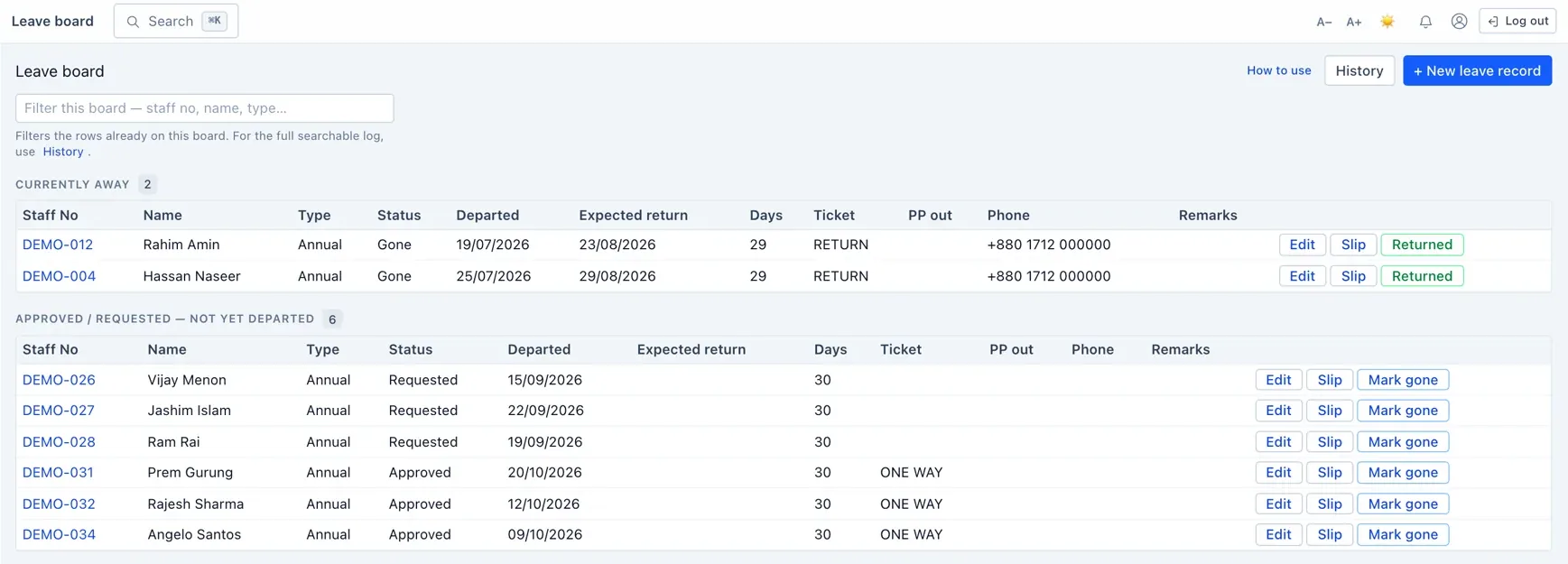
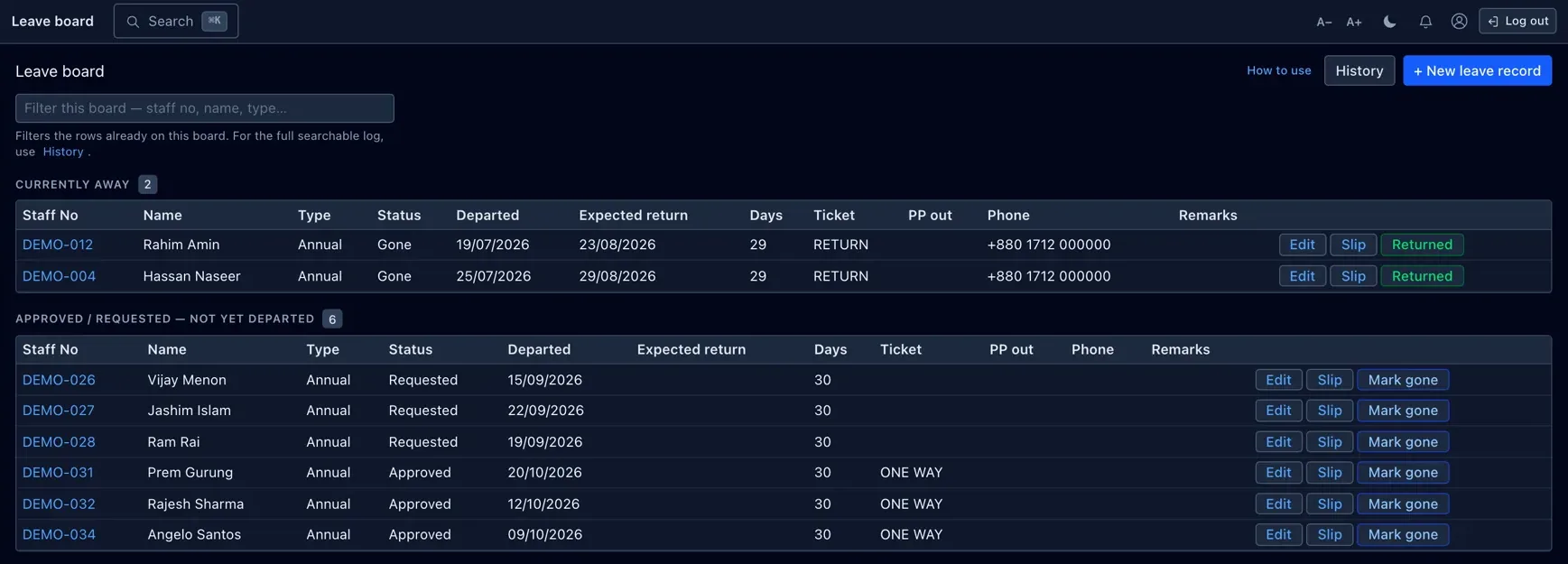
Leave › On-leave board is the operational hub — the "what needs my attention today" view. It groups people into:
- Overdue returns — gone, and expected back more than a couple of weeks ago.
- Returning soon — due back within 14 days.
- Currently away — gone right now.
- Awaiting departure — approved or requested, not yet left.
From here you mark people Gone, Returned or Cancelled as they move. Those buttons drive the status transitions above — including flipping the person's directory status — so the board is the one place you keep the picture current.
Balances & standing
A balance is simple in principle: entitlement − taken = remaining. The detail is in the three words.
- Entitlement is the days the type credits. For annual leave on the join-anniversary rule it is pro-rated across the first year from the hire date, then the full amount each year after.
- Cycles do not carry over. Each cycle — the year between one credit and the next (the anniversary, or the fixed date) — starts fresh at the entitlement. Days left unused at the end of a cycle are not banked, and a negative balance does not follow you into the next one.
- Applicable days are what a trip actually charges. For annual leave that is the span minus Fridays and public holidays; for every other type it is the plain calendar span. A Friday that is also a holiday is counted once, not twice.
Leave › Leave standing is the per-person snapshot: for every serving employee, days left, when annual leave next credits, and when the next paid ticket is due. It is the page to open before approving a long trip or booking a ticket.
The leave registry
Leave › Leave registry is the balance passbook: one row per trip, in order, each carrying its own opening and closing balance. Closing is opening plus any extra approved days minus the applicable days, and for unpaid types it never drops below zero.
Alongside the balances it shows the calendar span, the applicable (charged) days, the "balance from"
date the opening was measured against, and the point-in-time visa and ticket standing captured when
the trip was recorded.
Leave history is the same records
without the ledger columns — the queryable master list you filter (for example
type:Annual status:Approved) and export.
Monthly calendar
Leave › Monthly calendar is the month at a glance — a grid of who is away on which day, each cell marked with the leave type's code, and Fridays and public holidays shaded so the "skips Fridays & holidays" rule is visible rather than implied.
Leave plan
Sick register
Leave › Sick register is a fast way to log sick spells — a quick-add form that takes the employee, the dates, a remark and the medical certificate, and files an ordinary sick-type record. Picking the employee shows their sick balance and certificate-free days left; a spell the sick type's document rule needs a certificate for is refused without one. Those entries also appear in the history and registry like any other leave.
Cancelled leave salary
When leave that was owed is not taken and is bought back in cash instead, Leave › Cancelled leave salary records it. Each entry runs Pending → Approved → Paid, going through the approval workflow like a leave request.
The leave slip
The slip is the printable confirmation of a trip — staff details, leave type, the dates, opening and closing balances, additional days granted and the return date, laid out to print or save as a PDF. Open it from a trip in the history or the board.
Permissions & gotchas
- Leave · View — read every leave page (board, history, registry, standing, calendar).
- Leave · Manage — record and edit trips, drive the status transitions, run the sick register and encashments, and set the rulebook on Leave types & holidays.
- Sensitive · Medical — open and name supporting documents. Without it HR sees that files exist, not what they are.
Worth remembering
- Annual leave charges working days (span minus Fridays & holidays); all other types charge the plain span.
- Balances do not carry between cycles, and unpaid types never go below zero.
- Opening/closing balances are frozen when dates are set — changing dates re-baselines them; changing other fields does not.
- Marking a trip Gone or Returned is what moves the person between On leave and Active — the two are always kept in step.